Recovering Data from Hard Drive

Recover deleted files from hard disk

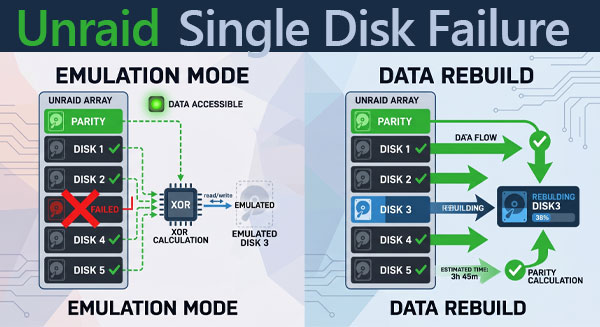
A single disk failure in an Unraid array is a predictable, manageable event — provided you respond to it correctly. The system keeps running, your data remains accessible, and there is a defined path to full recovery. None of this is accidental. It follows directly from how Unraid structures its arrays.

This article covers the mechanics behind that protection, the correct procedure for replacing a failed drive, and what to do when the standard path doesn't work and data needs to be extracted from the outside.
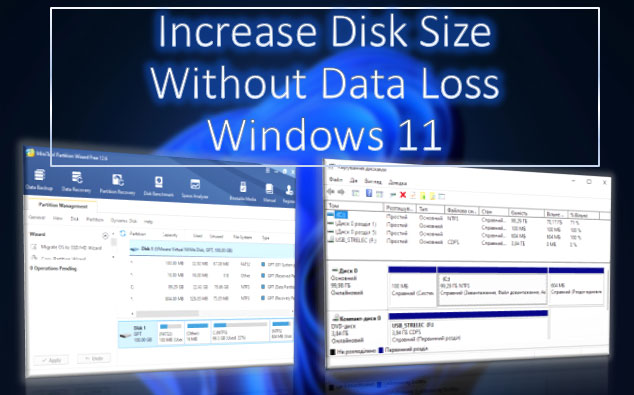
What to do if there is not enough free space on drives C, D, E, etc.? If our needs require a larger disk volume, we can increase the size of one disk by reducing the size of another. This task can be accomplished using the built-in tools of Windows 11 or with third-party disk management programs that offer more flexible operations. Let's take a detailed look at how to extend a disk in Windows 11.

How to Recover Data from a hard drive after RAID? Whether the hard drive has been placed in a RAID array or, conversely, after the RAID has been removed, the task is challenging. In the latter case, it may require a minimum number of operational hard drives or even all hard drives that were part of the RAID array, depending on the RAID configuration (level). We will tackle this task using effective data recovery software.

The accelerated performance and reliability of NVMe drives make them popular in modern computer systems. However, like any other storage device, NVMe SSDs can experience data loss due to accidental file deletion, file system corruption, or device failure. In this article, we will discuss the process of data recovery from NVMe drives and describe several key steps that will help you recover important information from these devices.

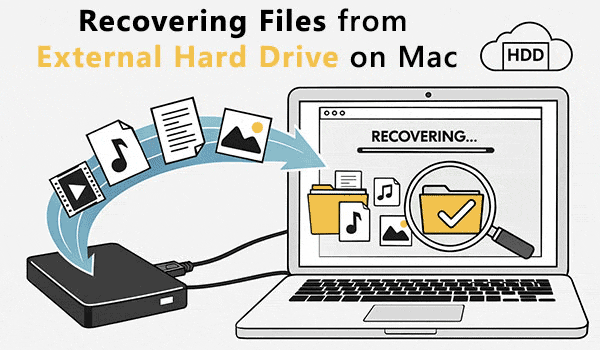
Accidentally deleting data from an external hard drive can be a distressing experience, especially when valuable files are involved. However, there's no need to panic because data recovery is indeed possible. In this article, we will provide you with essential insights and practical tips to help you recover your deleted data from an external hard drive. Whether it's a vital document, cherished photos, or important project files, we've got you covered.

Modern technologies let us recover files from a hard disk if they are lost after ordinary deletion, file transfer or copy failures, other software errors, attempts to reinstall Windows, or if they disappear as a result of partition formatting, after a partition is damaged, or because the whole disk was formatted. You can do it by employing either integrated Windows tools or dedicated data recovery utilities. Let's explore all options in detail.

Have you ever experienced the distressing situation of unintentionally deleting essential disk partitions? Whether it's system partitions, user partitions, or even an entire disk erased by mistake, the prospect of losing valuable data can be daunting. However, there is still hope. In many cases, it is indeed possible to recover deleted disk partitions and retrieve the lost information. This article will guide you through various options and techniques to facilitate the recovery process. So, if you find yourself in such a predicament, read on to explore the effective methods for recovering a deleted disk partition and reclaim your precious data.

Online Chat with Recovery Software