RecoverySoftware’s Blog – Page 29

Discover effective methods and step-by-step guides to recover data from your devices. Stay ahead of the game with our advice on retrieval data or storage security.

Data compression and encryption are like fashion: they get popular one day, and lose their perceived importance the other day. The cycle repeats itself regularly. Today, data encryption is trendy, while real-time compression is once again out of fashion. Let’s see what types of encryption (and compression) are available to a Windows user, and what you can do if you lost data that was compressed or encrypted.
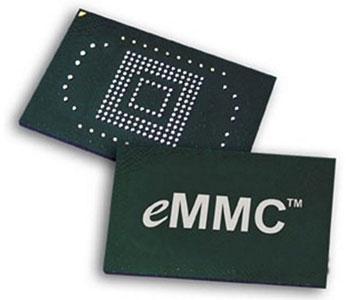
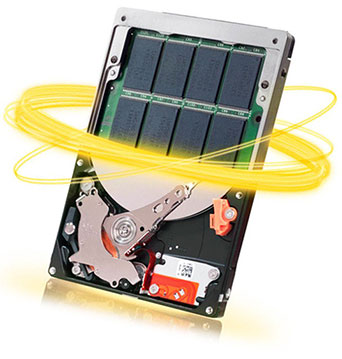
In our blog, we are writing a lot about recovering information from SSD drives. Recently, we added an article on recovering information from hybrid hard drives that combine a traditional magnetic hard disk with a smaller but very fast SSD. What we didn’t cover so far is yet another class of storage media commonly called as “eMMC”.

With the advent of ultra-fast SSD drives, nearly everyone was toying with the idea of replacing their big, loud and power-hungry hard drive with a slim and silent SSD. The extremely high speed of SSD drives is, however, countered by their high cost per gigabyte of storage, which in term limits the practically affordable maximum capacity of such disks to between half a gig and one gigabyte (as of mid-2015).

While software-based recovery is pretty much the only method available to ordinary computer users, this method has an awful lot of assumptions. It needs your hard drive to be working and in a reasonably healthy condition, both mechanically and electronically. Your computer’s BIOS must recognize the hard drive, at very least exposing it to low-level functions of the OS. Finally, the OS must be able to read the drive, at least in low-level mode.

Linux. Lots and lots of people are using one or more Linux devices without realizing it. Android phones are running a variation of Linux, with their internal storage formatted in one of the Linux-supported file systems. Ubuntu is also a version of Linux. Many Web servers and nearly all NAS (Network Attached Storage) devices run an embedded version of Linux. Your home Wi-Fi router is probably Linux. Even your digital camera is most probably running embedded Linux! Chances are, your refrigerator and coffee maker will run Linux, sooner or later.

If you like experimenting with non-mainstream operating systems, you most probably know about the various file systems they use. With many alternative operating systems being able to read media formatted with FAT (or, to be previse, FAT32), it is easy to forget that it does not normally work in the other direction. Install an alternative file system to a USB pen drive, and your Windows boot won’t be able to access that drive. More often than not, you’ll see a message prompting to format that USB drive into a Windows-recognizable file system. If you confirm, Windows will indeed reformat the flash drive, but everything you stored there with the other file system will be lost.