Data loss on the NAS Promise Vess A8021 usually occurs due to disk errors, failed RAID rebuilds, or corrupted system partitions. Even a small issue can make the entire storage volume unreachable. In this article, we describe the main failure scenarios for the NAS Promise Vess A8021 and provide clear steps for safe data recovery.

Understanding NAS Hardware and RAID Capabilities
The Promise Vess A8021 NAS is equipped with 2 drive bays that can be configured using RAID 0 or RAID 1. RAID 0 spreads data across both disks for higher speed, while RAID 1 mirrors every file to ensure protection against a single-disk failure. Supported file systems — EXT4 and Btrfs — add stability and integrity through journaling and advanced metadata handling.
Understanding these fundamentals helps during data recovery, as each RAID level stores information differently and affects how files can be reconstructed after an incident.
Key Specifics of Data Recovery on Promise Vess A8021
Recovering data from a Promise Vess A8021 NAS requires understanding how two-bay systems manage storage. These devices typically support RAID 0 for performance and RAID 1 for redundancy. In RAID 0, losing a single disk causes the entire array to fail, making specialized software essential for reconstruction. In RAID 1, data mirroring increases protection, but corruption of both drives or damage to EXT4/Btrfs file systems still requires connecting disks directly to a computer for recovery.
Two-bay NAS units are frequently used for storing photos, videos, and work archives, so recovery often focuses on personal media and office documents.
Main Features of the Promise Vess A8021 NAS
| Drive Bays | Supported Drives | Hot Swappable | Supported RAID | File Systems | Maximum volume |
| 2 | 2.5" or 3.5" SATA | ✓ | RAID 0, RAID 1 | NTFS, EXT4, XFS | 36 Tb |
The unit is configured as a mirrored array (RAID 1) running on a host built from an Intel Core i3 or Xeon E‑series CPU with 8GB of system memory and an active SSD cache. In this topology each mirror member carries a complete filesystem image drawn from the supported families (NTFS, EXT4, XFS) and the SSD cache interposes between the storage media and the operating environment (Windows IoT or Linux). The single most probable model‑specific failure point, given only these specifications, is the SSD cache layer: corruption, firmware fault, or abrupt loss of cached mapping/metadata can leave the appliance reporting an inconsistent array state despite intact mirror members.
Logical inaccessibility follows when the cache holds mapping or uncommitted metadata that the appliance OS expects to reconcile before presenting a coherent filesystem; if the cache is damaged the appliance may block mounts or present stale/incomplete views. Recovery outside the NAS therefore focuses on bypassing the cache and working directly with mirror members: remove or image the mirror media, present them to a host running Windows IoT or Linux that supports the original filesystem type (NTFS, EXT4 or XFS), perform filesystem metadata inspection/repair on an individual mirror copy, and copy data off to stable storage. This approach avoids reliance on the appliance cache layer and restores logical access from the underlying filesystem instance.
Step-by-step guide to recover data from NAS Promise Vess A8021
Data recovery from a two-disk NAS (Promise Vess A8021) is possible even in cases of RAID failure, file-system corruption or a complete hardware malfunction. Follow this clear and accessible guide, designed both for beginners and for users discovering NAS recovery procedures for the first time.
-
Step 1 Power off the NAS and remove the drives.
Shut the NAS down completely and carefully remove both disks. Note their original order (Disk 1 / Disk 2), which is essential for correct RAID reconstruction.
-
Step 2 Connect the drives to your computer.
Use internal SATA ports or USB–SATA adapters. Both drives must be connected simultaneously so the software can analyze the RAID metadata.
-
Step 3 Launch the NAS recovery software.
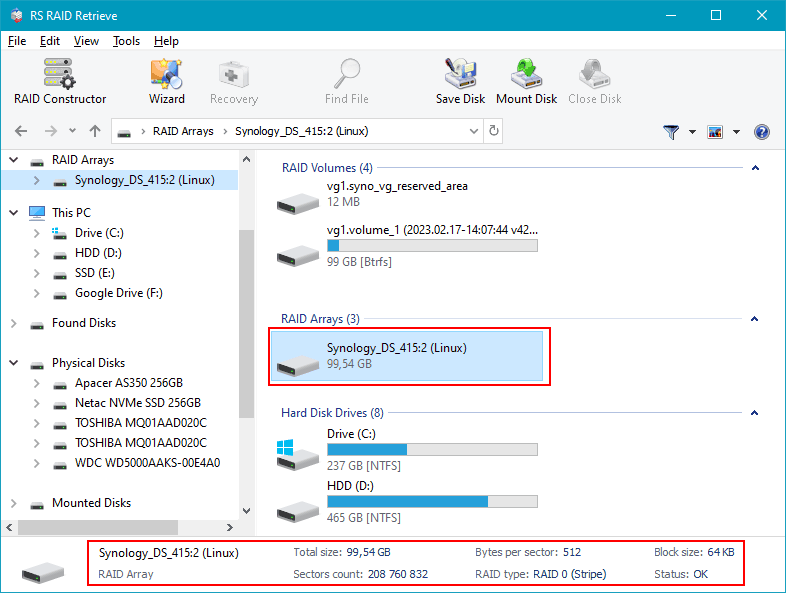
Open RS RAID Retrieve. The program will detect RAID signatures, analyze blocks and reconstruct the original NAS structure.

Data recovery from damaged RAID arrays
Available for: Windows, macOS, Linux -
Step 4 Review or manually adjust RAID parameters.
Automatic detection works in most cases, but you can fine-tune the RAID level, block size or disk order if needed.
-
Step 5 Start a deep scan.
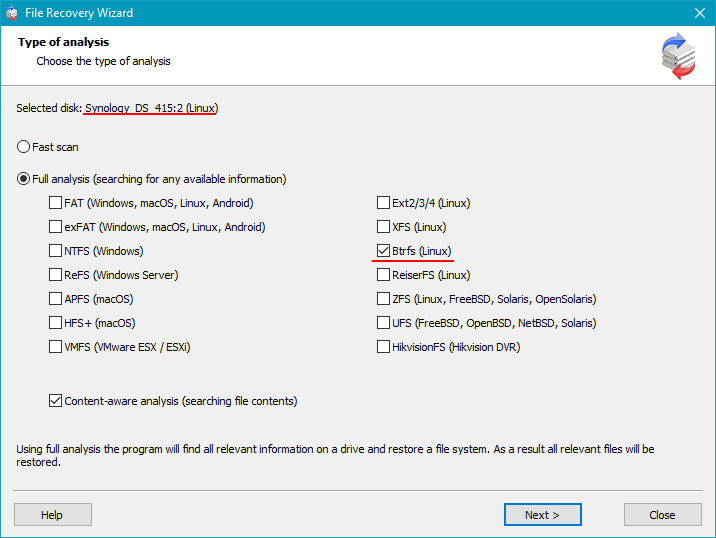
Run a full analysis to rebuild the folder tree and recover deleted files, even if fragmented.
-
Step 6 Review the scan results.
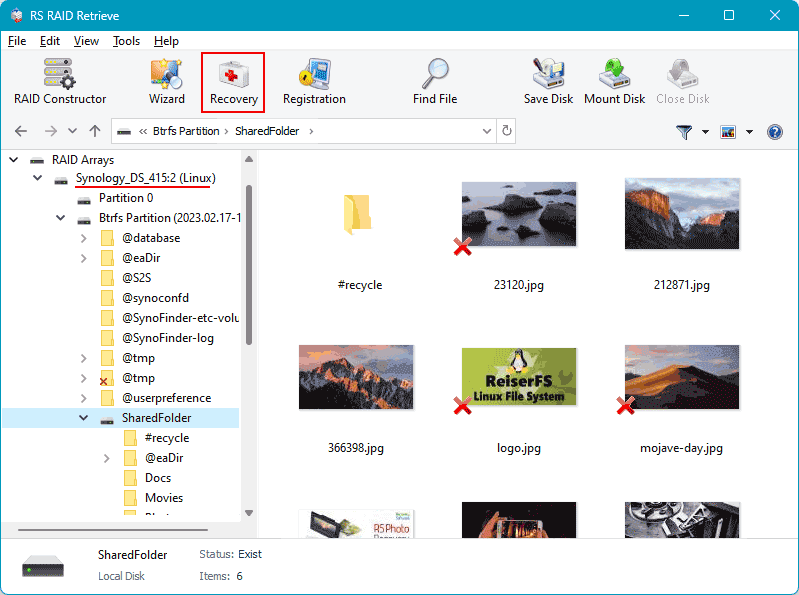
When the analysis completes, the complete NAS structure appears. Check that your documents, photos, videos and archives are accessible.
-
Step 7 Save your recovered data.
Store the files on another disk or an external drive. Never write anything to the original NAS drives.
Tip: Keep the NAS disks in read-only mode to avoid permanent data loss.
Common Causes of Data Loss in NAS Devices
Data loss in NAS systems often occurs due to RAID failures, accidental deletion, firmware corruption, disk degradation, and power outages. Misconfigured RAID arrays or simultaneous disk failures also frequently lead to inaccessible volumes or damaged file structures.
Why RAID Fails in 2-Bay NAS Promise Vess A8021: Key Causes You Shouldn’t Ignore
When a 2-bay NAS Promise Vess A8021 begins acting unpredictably, many users discover too late that their RAID array is already compromised. Understanding the real reasons behind RAID failure helps you react before your data becomes inaccessible — or permanently lost. Modern NAS systems are reliable, but even the best devices can fail due to physical wear, configuration issues, or overlooked warning signs.
One of the most common triggers is uneven disk aging. In 2-disk NAS setups, both drives often run continuously for years, accumulating bad sectors or slow read/write areas that gradually push the array into a degraded state. Another critical factor is firmware-based RAID management: a small glitch, unpatched bug, or failed background sync may silently corrupt metadata, eventually leading to RAID collapse.
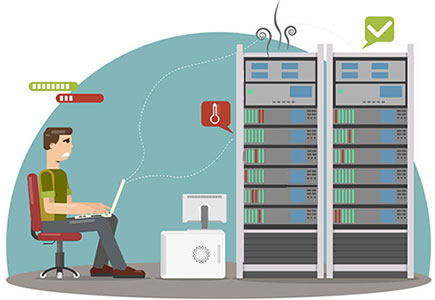
Environmental stress also plays a surprisingly large role. Overheating, unstable power, or vibration can shorten drive lifespan and create hidden read errors that later manifest as array failure. As soon as users notice unusual noises, unexpected slowdowns, or file access errors, the degradation is usually already in progress. This is why timely diagnostics and proper data recovery procedures are essential.
- Disk desynchronization and reconstruction errors often appear after power outages or forced shutdowns.
- SMART-related warnings signal growing risks of head crashes or platter wear.
- RAID misconfiguration after expansions, resets, or accidental rebuilds frequently results in metadata conflicts.
Recognizing these issues early can protect your NAS Promise Vess A8021 from full RAID failure and significantly increase the chances of successful data recovery.