Virtual Machine Disk (VMDK) files are at the core of VMware environments, storing entire virtual machine data including the operating system, applications, and user files. When a VMDK becomes corrupt, deleted, or inaccessible, the virtual machine may fail to boot, putting critical business data at risk. For IT admins, system engineers, and even individual users running VMware Workstation, ESXi, or Fusion, having a reliable VMDK recovery tool is essential.
Contents
- What is a VMDK and why it gets corrupted
- Signs your VMDK is corrupt or missing
- Comparison VMDK recovery tools
- How to Recover Data from a VMDK File
In this guide, we’ll explore what a VMDK is, the common reasons it gets corrupted, the signs of VMDK file corruption, and how to choose the best VMDK recovery software to repair and recover your data.
What is a VMDK and why it gets corrupted
A VMDK (Virtual Machine Disk) is a file format developed by VMware to represent a virtual hard disk. It acts like a container, storing everything from system files and installed applications to personal documents within a virtual machine. VMDKs can be of different types — flat, sparse, split, or descriptor-based — depending on how the virtual disk is configured.
Despite their reliability, VMDKs can become corrupt or unreadable due to various reasons:
- Unexpected power failures or abrupt shutdowns while the VM is running.
- Disk fragmentation or bad sectors on the underlying storage.
- Improper snapshot handling or failed snapshot merges in VMware.
- Virus or malware infections that damage virtual disk structures.
- File system issues inside the VMDK (e.g., NTFS, FAT32, EXT4 corruption).
- Human errors, such as accidental deletion of descriptor or flat files.
Signs your VMDK is corrupt or missing
Recognizing early symptoms of VMDK corruption is crucial for preventing further damage and planning recovery. If you notice these issues, it’s a strong indicator that your VMDK file is damaged. At this stage, continuing to use the disk without recovery may worsen the problem. Instead, you should rely on a professional VMDK recovery tool to repair the file or extract critical data from it.
Some of the most common signs include:
- VMware fails to power on the VM and shows “Cannot open the disk” or “The file is not a virtual disk.”
- Missing VMDK descriptor files while the flat file remains, or vice versa.
- Errors when mounting the VMDK, such as “Unsupported or invalid disk type.”
- Slow performance or read/write errors when accessing data inside the virtual machine.
- VMFS datastore errors in ESXi environments pointing to missing or corrupt VMDK files.
- Corrupted file system inside the VMDK, leading to missing or inaccessible user files.
Comparison VMDK recovery tools
When a VMDK file becomes corrupted, deleted, or inaccessible, the right recovery software can make the difference between permanent data loss and a full restore. Below are some of the best VMDK recovery tools available, each offering different strengths depending on your VMware environment and the type of corruption you’re facing.
RS Partition Recovery
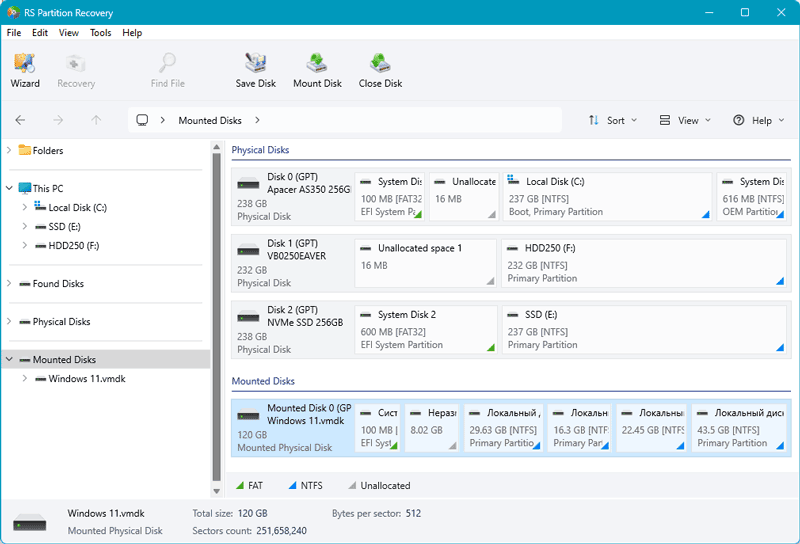
RS Partition Recovery stands out as a true universal data recovery solution. Unlike most tools that focus only on VMware VMDK repair, RS Partition Recovery is designed to handle virtually any storage scenario — from damaged partitions and formatted drives to lost files inside virtual disks.
It supports recovery from a huge range of file systems, including NTFS, FAT, APFS, ReFS, Ext, Btrfs, ZFS, VMFS, and more. That means it can restore data not just from VMware VMDKs, but also from VirtualBox, Hyper-V, Parallels, Citrix XenServer, Proxmox, and other hypervisors — making it one of the most flexible recovery solutions available.
Pros
- Truly universal — supports more file systems and virtual disk formats than any other tool.
- Works across VMware and all major virtualization platforms.
- Ability to preview files before recovery.
- Safe, read-only operation to prevent further damage.
Cons
- Does not perform direct “repair” of VMDK structures.
- Wide feature set may feel like overkill for simple recovery tasks.
Why choose it: If you want a single tool that can handle both physical and virtual data loss, RS Partition Recovery offers a broader safety net than most specialized VMDK utilities.
Recoverit Data Recovery
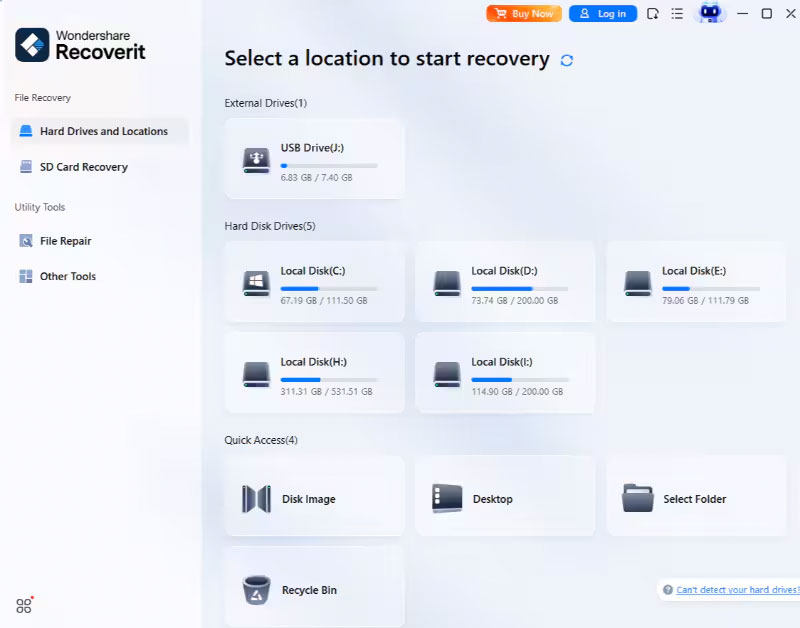
Recoverit is a general-purpose data recovery tool that also works with VMDK files. Its Deep Scan mode can recover deleted or corrupted virtual disk data, and it offers a convenient preview function before saving recovered files. This makes it a good choice for users looking for a simple solution to restore data from corrupt or deleted VMDK files.
Pros
- User-friendly interface
- Versatile scan modes.
- Preview before recovery.
Cons
- Slower with very large VMDKs.
- Advanced features require a paid version.
Why choose it: Great for users who want an easy, straightforward way to recover lost data from VMDKs without diving into technical details.
DiskInternals VMFS Recovery
DiskInternals VMFS Recovery is a specialized tool for VMware VMFS partitions and virtual disks. It doesn’t directly “repair” a VMDK but instead extracts data from damaged or inaccessible VMFS datastores, including VMDK descriptor and flat files. It also supports RAID arrays and allows mounting recovered data for quick access.

Pros
- VMware-focused.
- Strong VMFS/VMDK extraction.
- RAID support.
Cons
- Interface is complex for beginners.
- limited to VMware environments.
Why choose it: Perfect if you’re managing VMware ESXi or VMFS datastores and need to reliably pull files from corrupted or inaccessible virtual machines.
BitRecover VMDK Recovery Wizard
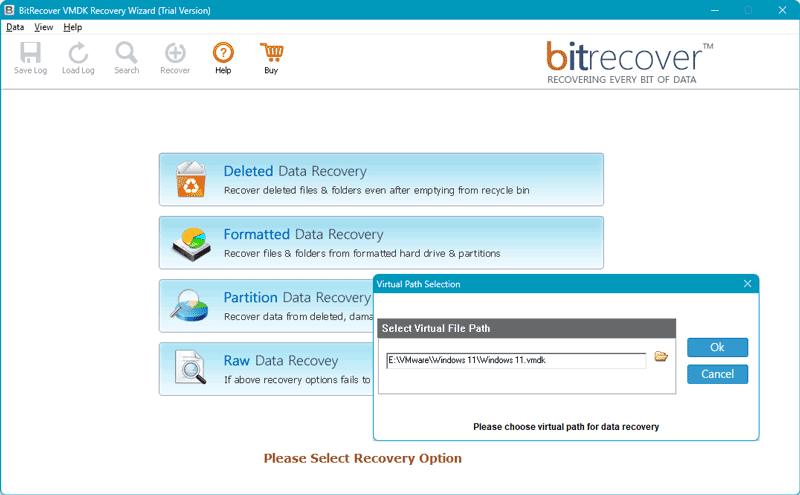
BitRecover VMDK Recovery Wizard offers multiple recovery modes — RAW, partition, and formatted recovery — making it flexible for different corruption cases. Its interface is more approachable than some enterprise tools, and it supports selective file recovery from damaged VMDKs.
Pros
- Flexible recovery options.
- Easy to use.
- Preserves data integrity.
Cons
- Limited to VMDK files.
- UI is less modern than competitors.
Why choose it: A solid choice for those who want flexible but user-friendly VMDK recovery, without the steep learning curve of advanced tools.
Kernel for VMDK Recovery
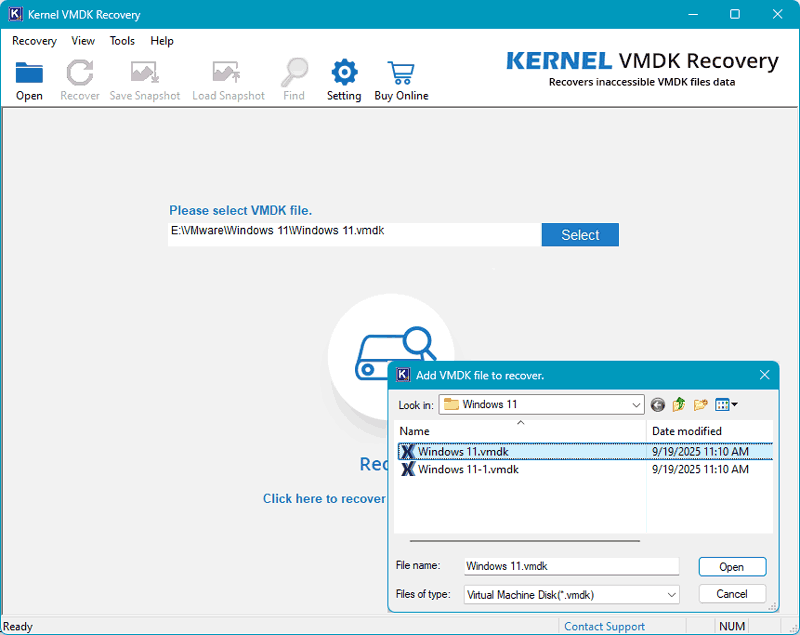
Kernel for VMDK Recovery focuses on recovering FAT and NTFS file systems from corrupted or fragmented VMDK files. It includes a pause/resume function for scanning large or complex disks, making it practical in Windows-based environments.
Pros
- Handles fragmented and large VMDKs well.
- Convenient scan controls.
- Preserves data integrity.
Cons
- Windows-only.
- Limited support for Linux or Mac file systems.
Why choose it: Best suited for Windows environments where VMDKs are large or fragmented and require stable, controlled recovery.
Sysinfo VMDK Recovery
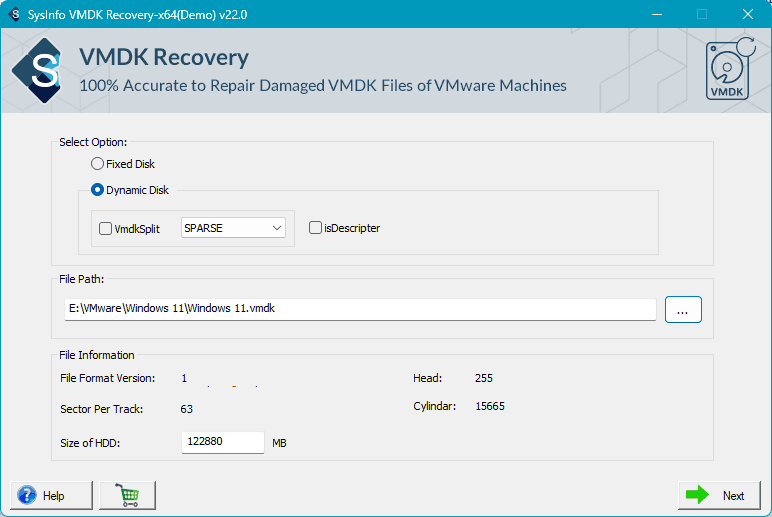
Sysinfo VMDK Recovery provides a straightforward solution for repairing broken or corrupt VMDK files. Its simple interface makes it accessible even for users without technical expertise, while still offering reliable recovery of formatted or damaged virtual disks.
Pros
- Simple GUI.
- Reliable repair for damaged VMDKs.
Cons
- Windows-only.
- Lacks advanced forensic or enterprise-level features.
Why choose it: Ideal for users who need a simple and effective tool to get back data from corrupt VMDKs without complex configurations.
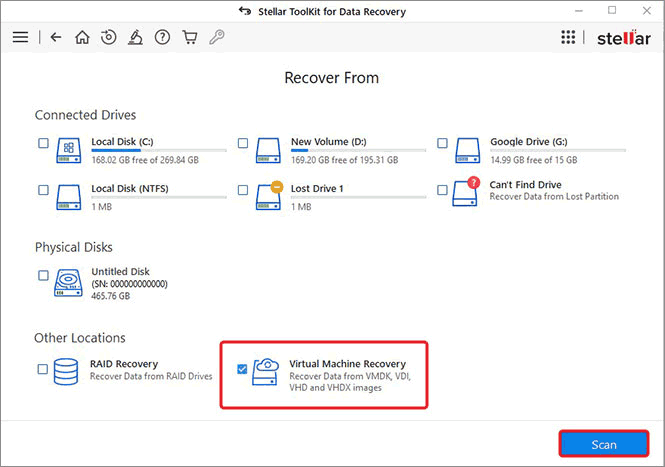
Stellar Data Recovery Technician
Stellar Data Recovery Technician is a professional, all-in-one solution. It supports not only VMDK recovery but also other formats like VHD, VHDX, and VirtualBox VDI, making it versatile across VMware, Hyper-V, VirtualBox, and more. With its advanced repair features, it’s widely used by IT professionals and enterprises dealing with complex virtual disk corruption.
Pros
- Multi-platform virtual disk support.
- Professional-grade repair tools.
Cons
- Higher cost.
- Advanced toolset may exceed casual needs.
Why choose it: Choose Stellar if you need a comprehensive, enterprise-ready tool that works across multiple virtualization platforms.
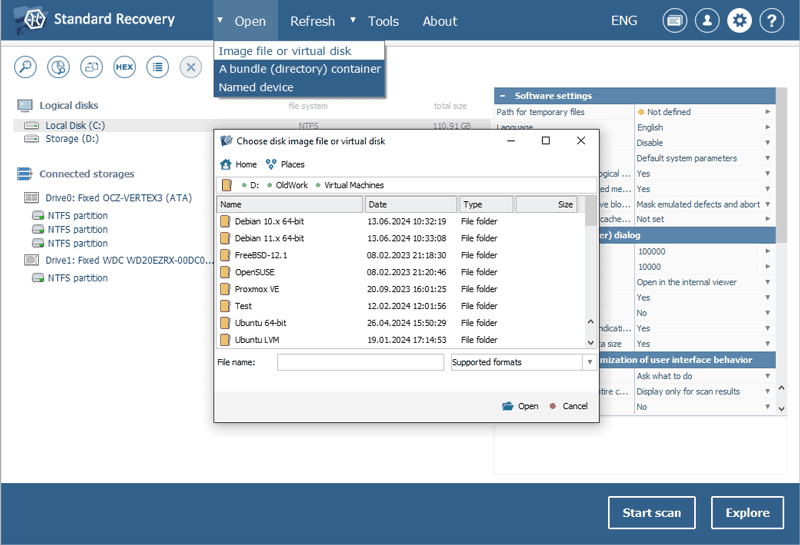
UFS Explorer
UFS Explorer is the go-to choice for experienced administrators and power users. It supports recovery from complex RAID arrays, VMFS datastores, and damaged VMDKs, with advanced disk imaging and analysis functions. While powerful, it has a steep learning curve and is best suited for users comfortable with detailed configurations.
Pros
- Extremely powerful for complex cases.
- Integrated disk imaging.
- Advanced analysis.
Cons
- Steeper learning curve.
- Technical interface.
Why choose it: The best option for advanced users who need precise control and maximum recovery power in complex VMware or RAID environments.
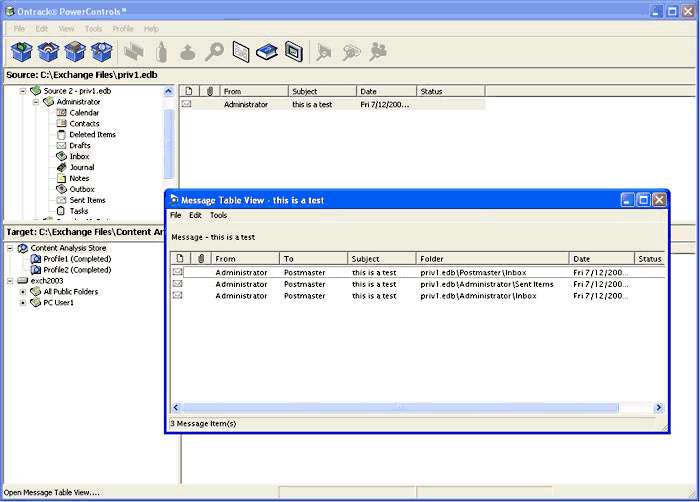
Ontrack PowerControls for VMware
Ontrack PowerControls for VMware is an enterprise-grade solution with forensic-level recovery capabilities. It allows granular file extraction from corrupt VMware VMDK files, making it ideal for organizations that need not just recovery, but also detailed analysis for compliance or investigations.
Pros
- Forensic-level features.
- Granular recovery.
- Enterprise reliability.
Cons
- Higher cost.
- Complexity.
- Aimed at enterprise IT teams.
Why choose it: If you’re in a corporate or forensic setting, Ontrack offers the depth and precision needed for compliance and investigations.
| Supports VMDK Split/ Sparse/Fragmented | Supports VMDK Flat/Sparse/Descriptor | Recover from VMFS/ESXi Datastore | Supported Host OS | Other Supported Virtual Formats | |
|---|---|---|---|---|---|
| RS Partition Recovery | ✔ | ✔ | ✔ | Windows, macOS, Linux | VHD, VHDX, VDI, HDD, QCOW2 |
| Recoverit Data Recovery | Limited | Limited | ✖ | Windows, macOS | VHD, VHDX, VDI |
| Diskinternals VMFS Recovery | ✔ | ✔ | ✔ | Windows | VHD, VHDX, VDI, QCOW2 |
| Bitrecover VMDK Recovery Wizard | ✔ | ✔ | ✖ | Windows | VMDK only |
| Kernel for VMDK Recovery | ✔ | ✔ | ✖ | Windows | VMDK only |
| Sysinfo VMDK Recovery | ✔ | ✔ | ✖ | Windows | VMDK only |
| Stellar Data Recovery Technician | ✔ | ✔ | ✔ | Windows, macOS | VHD, VHDX, VDI, HDD |
| UFS Explorer | ✔ | ✔ | ✔ | Windows, macOS, Linux | VHD, VHDX, VDI, QCOW, HDD |
| Ontrack PowerControls for VMware | ✔ | ✔ | ✔ | Windows | VMDK only |
How to Recover Data from a VMDK File
Recovering data from a corrupt or deleted VMDK file doesn’t have to be complicated. Most reliable tools follow the same workflow: mount the VMDK, analyze it for lost partitions and files, and then save the recovered data to a safe location.
If your VMDK lives on an ESXi / VMFS datastore, recovery best practices change: don’t run host-level repairs on a production ESXi server. Instead, image the datastore or detach the LUN and work from a copy. VMFS uses its own metadata and snapshot handling, so use tools and workflows designed for VMFS datastores or follow VMware’s recovery guidance. For a full ESXi-focused walkthrough (imaging datastores, handling snapshots, and using VMFS-aware tools), see the guide Recovering data from VMware vSphere / ESXi .
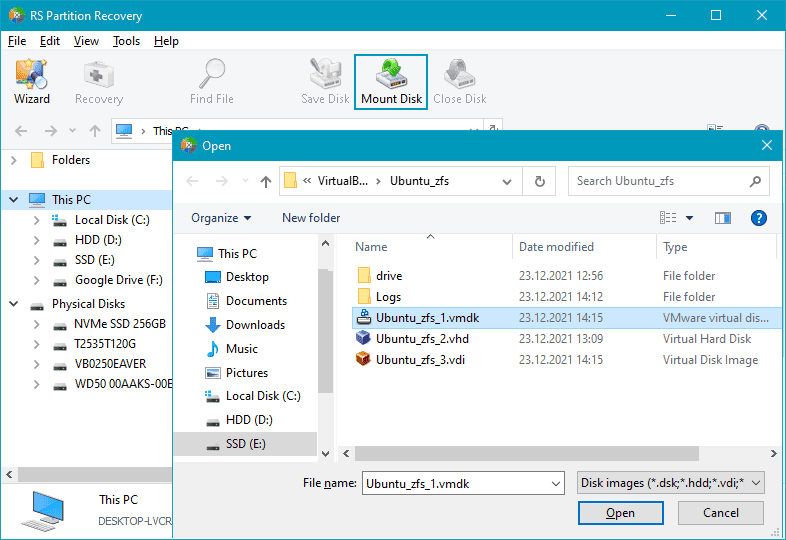
Step 1. Mount the VMDK in a recovery tool
Open the damaged or deleted VMDK file (including flat, split, or descriptor parts) in a VMDK recovery program such as RS Partition Recovery, UFS Explorer, or DiskInternals VMFS Recovery. Always mount the disk in read-only mode to avoid further damage.
Step 2. Analyze the virtual disk
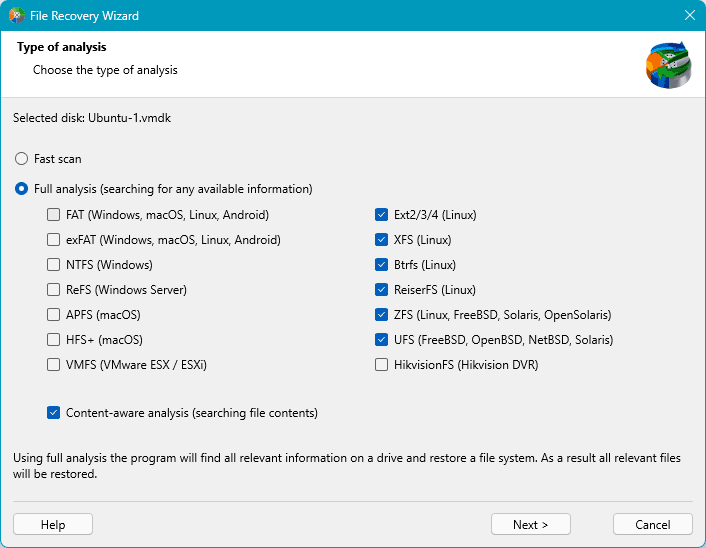
Run a scan to detect partitions and file systems inside the VMDK. Tools can identify NTFS, FAT32, EXT4, XFS, APFS, ZFS, VMFS and other file systems used by virtual machines. Start with a quick analysis, and if files are still missing, switch to a deep scan to recover deleted or corrupted data from the virtual disk.
Step 3.Preview and save the recovered data
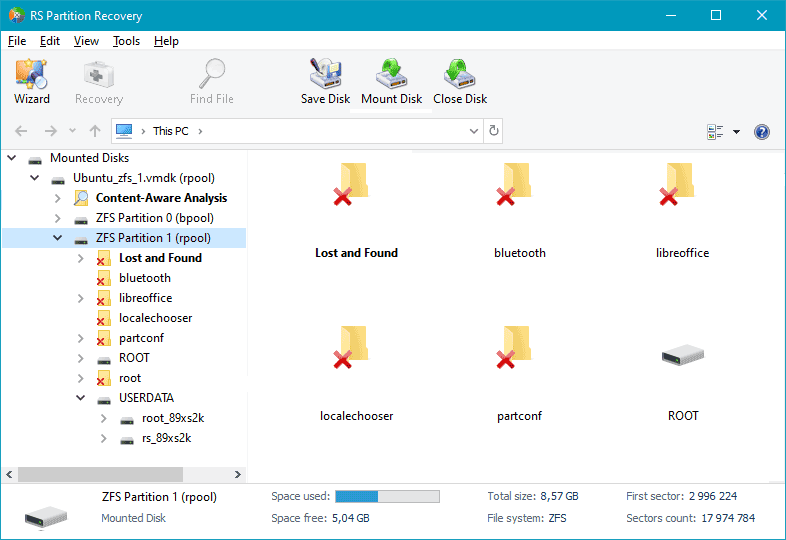
Preview the results, select the files or folders you need, and export them to another storage device. Once saved, you can verify the recovered files or import them into a new virtual machine.
RS Partition Recovery, Stellar Data Recovery Technician, and UFS Explorer stand out as universal solutions, supporting multiple file systems, virtual disk formats, and even VMFS/ESXi datastores. DiskInternals VMFS Recovery, Ontrack PowerControls are highly effective in VMware-specific or enterprise scenarios, offering strong VMFS and descriptor file recovery.
Meanwhile, Recoverit and Sysinfo focus on simplicity with user-friendly interfaces, best for quick file recovery from VMDKs. BitRecover and Kernel for VMDK Recovery are more niche utilities that handle corrupted VMDK files reliably but offer fewer cross-platform options. In short, the choice depends on whether you need broad compatibility, VMware specialization, or simple one-click recovery.