- Den Broosen |
- |
- 8 min. Reading |
A critical error "INACCESSIBLE BOOT DEVICE" causes a blue screen and prevents the system from booting normally? Below we will analyze the leading causes and methods of eliminating this error.

Discover effective methods and step-by-step guides to recover data from your devices. Stay ahead of the game with our advice on retrieval data or storage security.
A critical error "INACCESSIBLE BOOT DEVICE" causes a blue screen and prevents the system from booting normally? Below we will analyze the leading causes and methods of eliminating this error.
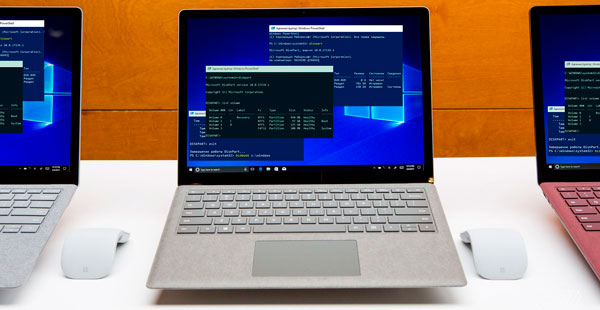
Windows generate an error at boot time and not start? You can solve problems with the startup of the operating system and repair loader functionality using the command line.

In this article, we will present several ways to enable AHCI mode for SATA in the BIOS without reinstalling Windows 10 and thus improve the performance, efficiency and power consumption of modern HDD and SSD drives...
Safe mode in Windows 10, as in any other version of the OS, is a convenient way to solve problems with the operating system. By running in safe mode, the user can get a clean Windows boot, avoiding the automatic launch various software, such as drivers, autoload, utilities, and malicious viruses. In this state, the operating system will be ready to fix and diagnose all kinds of problems. Besides, the Safe Mode significantly improves the efficiency of virus removal.
Modern technologies are gradually replacing more archaic solutions. Today no one remembers the film cassettes and various floppy disks, which were replaced by convenient and much more spacious CDs. But time turned out to be cruel even to the discs, which was first in the niche for a long time. At the moment, the most popular device for fast transfer of volumetric information is a USB flash drive, capable of performing the functions of recording and transferring data much more convenient than a classic disk. The flash drives have almost wholly superseded the discs, and in new computers, they have even stopped mounting the CD drives because they are not needed.

Data recovery is a very complex process requiring the use of advanced techniques to discover, locate and extract information. If there is one thing more complex than recovering lost data it’s the job of recovering lost data that has been encrypted. In this article we’ll cover the many types of encryption used in a typical Windows system, and describe approaches and techniques for recovering encrypted files.
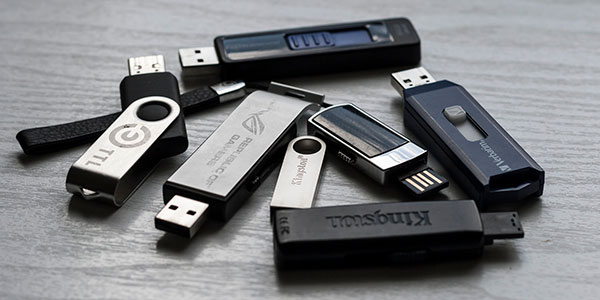
Hot-swappable storage is widely popular. A wide range of memory cards in SD, Compact Flash and many other formats are used everywhere from smartphones to digital SLR cameras. USB thumb drives can be plugged instantly to any computer, providing major convenience for carrying data on the light.

Encrypting malware, or ransomware, is a serious security threat that causes an increasing number of data loss incidents. Ransomware attacks are extremely difficult to recover from. In particular, maintaining an automated cloud backup does not help protect against encrypting malware. While following a concise backup strategy goes a long way helping to make the effect of such attacks negligible, most computer users don’t have a backup strategy at all or rely solely on cloud storage for all their backup needs. As we’ll show below, this is not the right strategy in the case of ransomware attacks.



