When the NAS Buffalo TeraStation TS5210DN stops responding or your data becomes inaccessible, the consequences can be critical. Disk failures, RAID corruption, firmware errors, or accidental deletions often leave users searching for a reliable recovery solution. In this guide, we show how to restore lost files from the NAS Buffalo TeraStation TS5210DN quickly and safely, using proven techniques that protect your storage from further damage.
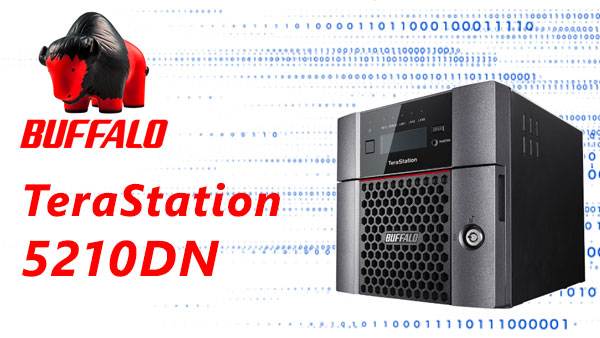
What’s Inside This NAS? Key Specs Explained Simply
The Buffalo TeraStation TS5210DN is built with everyday users in mind. With its 2 drive bays, you get enough storage flexibility for photos, documents, media files, and backups. It supports RAID 0/1, giving you a choice between more speed or safer data mirroring. The NAS works with EXT4 or Btrfs, both proven file systems known for reliability and clean data structure.
Even if you’ve never used a NAS before, this model is easy to set up and maintain — and if something goes wrong, its clear RAID layout helps simplify the data recovery process.
Professional Data Recovery Workflow on Buffalo TeraStation TS5210DN
For business environments, data recovery on the Buffalo TeraStation TS5210DN must follow a structured workflow: preliminary diagnostics, disk imaging, RAID reconstruction, filesystem analysis, and controlled extraction of recovered data. This approach minimizes downtime and ensures integrity of business-critical archives.
Main Features of the Buffalo TeraStation TS5210DN NAS
| Drive Bays | Supported Drives | Hot Swappable | Supported RAID | File Systems | Maximum volume |
| 2 | 2.5" or 3.5" SATA | ✓ | RAID 0, RAID 1, JBOD | NTFS, EXT4, XFS, HFS+ | 24 Tb |
Storage architecture and model-specific failure points are driven by the Buffalo TeraStation TS5210DN platform: an Annapurna AL-314 SoC with 4 GB RAM running TeraStation OS 4. The unit exposes software-managed RAID modes: RAID 0, RAID 1 and JBOD, with supported on-disk filesystems including XFS, EXT4, NTFS, FAT32 and HFS+. Storage layers are: RAID array layer, the device’s volume management layer within the NAS firmware, and the filesystem layer on top. Model-specific failure points include firmware/OS corruption on TeraStation OS 4, SoC or kernel crashes that leave RAID superblocks inconsistent, and memory faults in the 4 GB RAM that can corrupt in-memory metadata before it is flushed to disk. There is no SSD cache to mask write ordering issues.
Mechanisms of logical data inaccessibility commonly present as corrupted RAID metadata, interrupted journal commits on XFS/EXT4, or inconsistent allocation maps on NTFS/FAT32/HFS+. The recovery principle outside the NAS is forensic and read-only: image all physical drives first, preserve original media, and recreate the array parameters reported by the TS5210DN in an offline environment using the same RAID level (RAID 0/RAID 1/JBOD) and volume ordering. Mount images read-only and perform filesystem-specific journal replay and metadata reconstruction; repair attempts must be on copies to avoid further corruption. Diagnostically, check firmware logs and RAM-related kernel traces from TeraStation OS 4 for root-cause correlation before writeback.
Step-by-Step NAS Buffalo TeraStation TS5210DN Recovery Tutorial for Beginners
Recovering data from a 2-disk NAS Buffalo TeraStation TS5210DN may seem complicated, but with the right guidance, anyone can do it safely. This educational walkthrough explains each step in a clear, structured format, helping you understand not only what to do, but why it matters. You’ll learn the basics of RAID reconstruction, safe handling of disks, and deep file system scanning.
Step 1 Power off the NAS and remove the disks.
Turning the NAS fully off prevents additional damage. Carefully slide out both drives and note their order — RAID relies on precise disk sequencing.
Step 2 Connect the NAS disks to your PC.
Attach both drives simultaneously via SATA or USB-to-SATA adapters. This is required for RAID assembly and correct metadata interpretation.
Step 3 Launch RS RAID Retrieve.
The software analyzes your disks in read-only mode, automatically detecting RAID level, block size, parity rotation and other technical parameters.

Data recovery from damaged RAID arrays
Available for: Windows, macOS, LinuxStep 4 Review the detected RAID configuration.
RAID settings may vary between NAS models. Verify that the parameters match your Buffalo TeraStation TS5210DN system. Adjust manually only if needed.
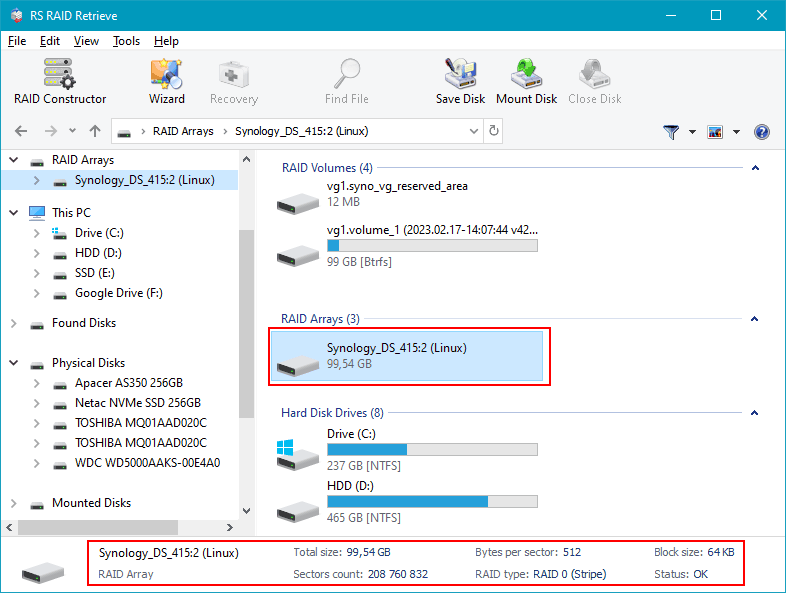
Step 5 Start a deep scan of the reconstructed RAID.
The tool rebuilds the file structure and searches for documents, photos, videos and other data — even if the partitions are damaged.
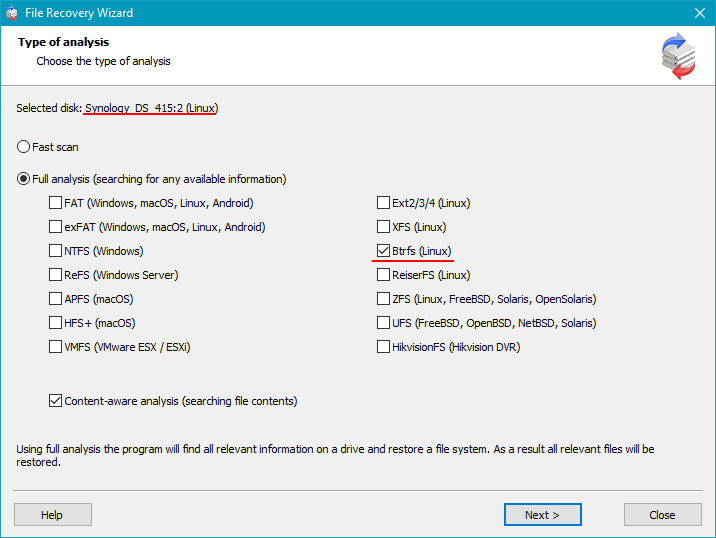
Step 6 Inspect the recovered folders.
Browse through the directory tree to confirm that your files are accessible. The preview helps you evaluate the recovery quality.
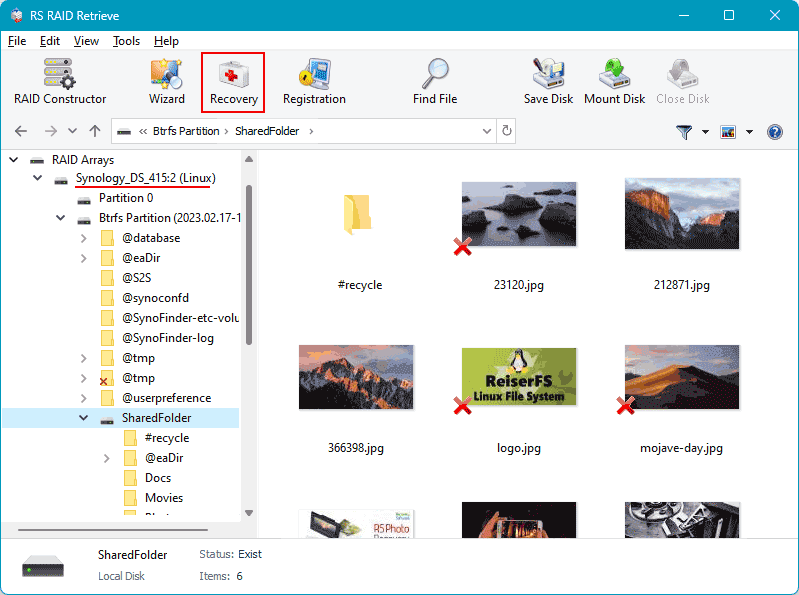
Step 7 Export the restored data to a safe location.
Save your files to another drive to avoid overwriting valuable data on the original NAS disks.
Tip: Never write to the original NAS disks during recovery.
Common Causes of Data Loss in NAS Devices
Data loss in NAS systems often occurs due to RAID failures, accidental deletion, firmware corruption, disk degradation, and power outages. Misconfigured RAID arrays or simultaneous disk failures also frequently lead to inaccessible volumes or damaged file structures.
Why RAID fails in 2-disk NAS Buffalo TeraStation TS5210DN
The failure of a RAID array in a 2-disk NAS Buffalo TeraStation TS5210DN is typically caused by a combination of hardware wear, unstable system conditions, and file-system-level inconsistencies. Since a two-bay NAS relies heavily on synchronized disk operation, even minor deviations in performance or SMART parameters may lead to a rapid degradation of the array. Below are the most common technical reasons why a RAID configuration may fail, making data recovery necessary.
1. One disk becomes undetectable. In many NAS Buffalo TeraStation TS5210DN recovery cases, the RAID failure starts when one of the drives suddenly disappears from the system dashboard. The NAS controller stops seeing the HDD/SSD because of firmware issues, electrical problems, or mechanical wear.
2. Noticeable performance slowdown. A failing RAID in a 2-disk setup often results in slow file access, reduced read/write speed, and delays when opening folders. These symptoms indicate that disk synchronization is breaking down and that the system is struggling to rebuild parity or mirror data.
3. “Degraded” or “Crashed Volume” status. When the NAS marks the array as Degraded, it signals that redundancy has been lost and RAID integrity is compromised. If not addressed, the array may transition to a Crashed Volume state, requiring immediate professional recovery.
4. Files become inaccessible. In RAID 0 or in certain simultaneous failure scenarios involving both disks, the system may no longer open files or may generate errors such as “File Corrupted” or “Directory Unavailable.”
- Undetected disk events
- Parity or mirror synchronization errors
- Low-level sector degradation and SMART failures
- Unplanned shutdowns leading to RAID metadata corruption