How to Recover Data from a Hikvision RAID — surveillance systems that use disk arrays to improve reliability and performance. The process can be challenging because, in addition to the proprietary Hikvision file system, it also involves the RAID structure itself. Standard data recovery software is not capable of handling this type of setup.

Contents
- What Is RAID in Hikvision Surveillance Systems
- When You Need Hikvision RAID Data Recovery
- Software for Hikvision RAID Data Recovery
- Working with Different RAID Levels
- Recovery from Physically Damaged Drives
- Comparison of Data Recovery from Different RAID Levels
To recover video from a Hikvision RAID, you need a specialized tool that supports both the Hikvision file system and different RAID configurations.
What Is RAID in Hikvision Surveillance Systems
RAID (Redundant Array of Independent Disks) is a technology that combines multiple hard drives into a single logical array. In Hikvision surveillance systems, RAID improves the reliability of video storage and increases the overall storage capacity.
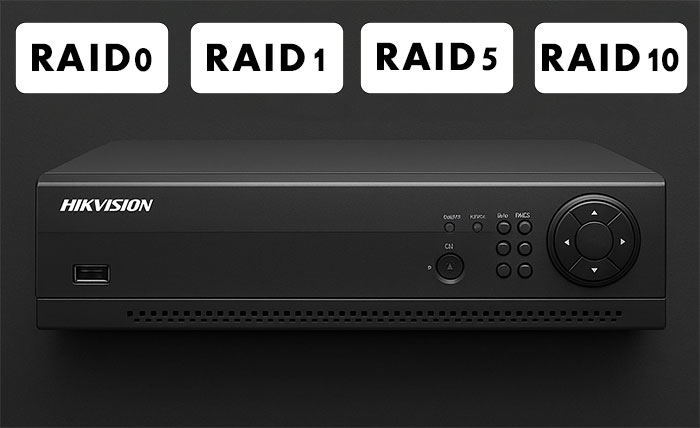
Advanced Hikvision NVR models support various RAID configurations to ensure data reliability. The choice of RAID level depends on your system’s priorities — whether maximum write speed, strong data protection, or a balance between capacity and redundancy is more important. In enterprise-grade CCTV systems, where recordings may serve as evidence, choosing the right RAID configuration is critical.
Most common RAID levels used in Hikvision systems:
- RAID 0 (Striping) – data is split across multiple drives, improving performance and total capacity. For example, two 2TB drives will provide 4TB of usable space. However, RAID 0 offers no fault tolerance: if any drive fails, all data is lost. Used only where performance matters more than reliability.
- RAID 1 (Mirroring) – creates an exact copy of data on two drives. If one drive fails, the other contains an identical dataset. This is the most reliable option for smaller systems, but inefficient — two 2TB drives yield only 2TB of usable space.
- RAID 5 (Distributed Parity) – distributes data and parity information across three or more drives. The array can survive the failure of any single drive without data loss. For instance, four 2TB drives provide 6TB of usable space (one drive’s capacity is used for parity). It’s the most common configuration in professional Hikvision video surveillance systems.
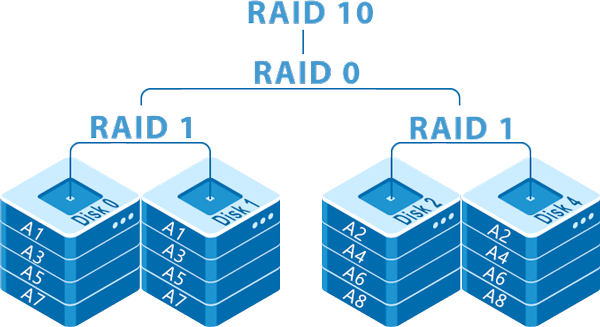
- RAID 10 (1+0 Combination) – combines mirroring and striping, requiring at least four drives. Delivers both high performance and redundancy, but consumes twice as many drives. Four 2TB drives yield 4TB of usable space. Used in mission-critical installations where downtime is unacceptable.
The key advantage of RAID in surveillance systems is continuous recording even if one drive fails. However, this same complexity makes data recovery more challenging when serious failures occur.
Hikvision DVRs and NVRs that support RAID arrays:
- DS-7300HUHI-Fx/N
- DS-7304HUHI-K4
- DS-7308HUHI-K4
- DS-7316HUHI-K4
- DS-7324HUHI-K4
- DS-7332HUHI-K4
- DS-9632NI-I8
- DS-9664NI-I8
- DS-96128NI-I24
- DS-96128NI-I24/H
- DS-96256NI-I24
- DS-96256NI-I24/H
- iDS-96128NXI-I24
- iDS-96128NXI-I16
- iDS-96064NXI-I16
- iDS-9664NXI-I16/4F
- iDS-9664NXI-I8/4F
- iDS-9632NXI-I16/4F
- iDS-9632NXI-I8/4F
- iDS-9616NXI-I16/4F
- iDS-9664NXI-I16/16S
- iDS-9632NXI-I16/16S
- iDS-9616NXI-I16/16S
- iDS-9632NXI-I8/16S
- iDS-9632NXI-I8/8S
- DS-96256NI-I16
- DS-96256NI-I16/H
- DS-96128NI-I16
- DS-96128NI-I16/H
- DS-96064NI-I16
- DS-9664NI-I16
- DS-9632NI-I16
- DS-9616NI-I16
- DS-9664NI-I8
- DS-9632NI-I8
- DS-9616NI-I8
- DS-9608NI-I8
- DS-76/77/86/9600NXI-VPro
- DS-76/77/86/9600NXI-VProR
- DS-7732NI-M4/24P
- DS-9664NI-M8
When You Need Hikvision RAID Data Recovery
There are various situations where you might need to recover data from a Hikvision NVR that uses a RAID array.
Common Hikvision RAID issues include:
- Recorder failure while RAID drives remain functional (the simplest case)
- Multiple drive failures at once
- RAID configuration corruption due to power loss or improper shutdown
- Accidental deletion of important video recordings
- Unintentional RAID formatting
- Corruption of the Hikvision file system due to firmware or software errors
- RAID controller malfunction
Unlike a single disk, you can’t just remove one drive from a RAID array and connect it to a computer. You need all the drives together and software that understands RAID structures.
Software for Hikvision RAID Data Recovery
The best tool to recover video from Hikvision RAID arrays is RS RAID Retrieve. This specialized software supports the proprietary Hikvision FS file system and all common RAID configurations.
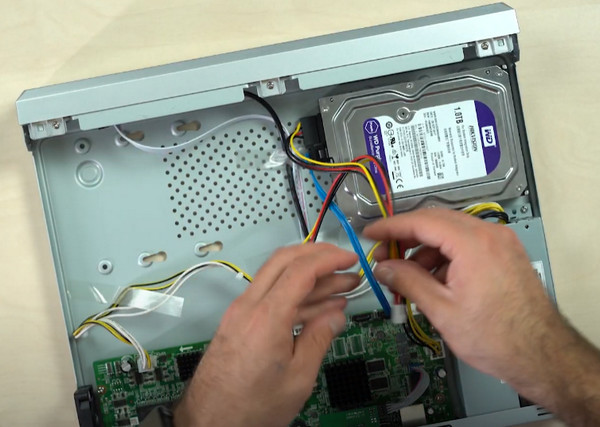
To start the recovery process, disconnect all hard drives from the recorder and connect them to a PC. Be careful not to initialize or format the drives. Each drive should be connected separately or mounted as an image so the program can correctly detect the RAID structure.
RS RAID Retrieve is a licensed program, but like RS Partition Recovery, it allows you to perform a free analysis to check whether your data can be recovered. If the software detects the required video files, their recovery is guaranteed after purchasing a license.
How to recover Hikvision RAID video using RS RAID Retrieve: download and install the program on your PC. Once launched, it automatically scans connected drives and attempts to detect the RAID configuration.

Data recovery from damaged RAID arrays
The main window will display all detected physical drives. RS RAID Retrieve analyzes them automatically and identifies if they belong to a RAID array. If successful, a virtual RAID disk with the Hikvision file system will appear in the list.
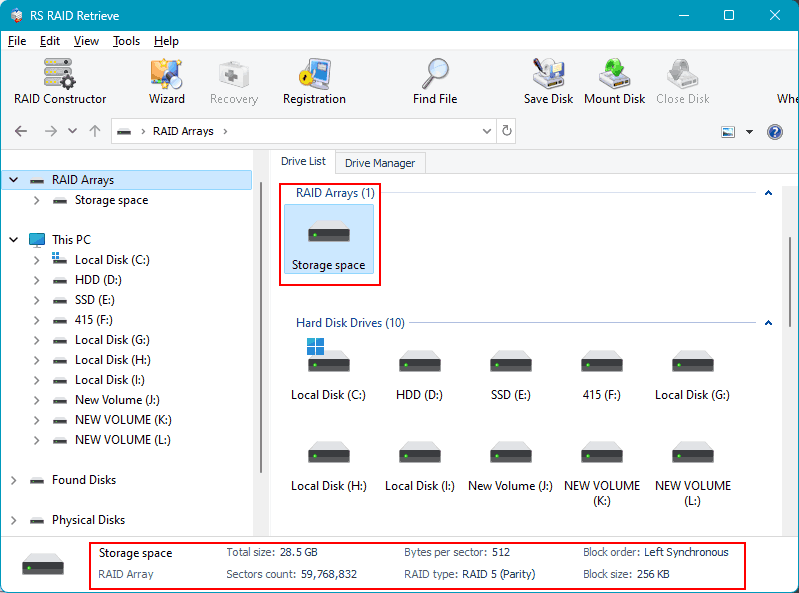
If automatic detection fails, you can manually assemble the array by specifying the RAID type, block size, and disk order. Once the RAID is built, simply click on it to continue.
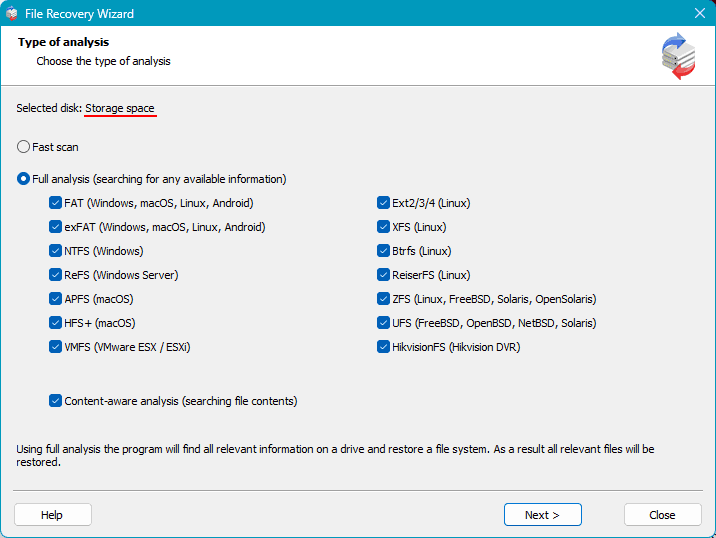
Select the type of scan. Quick Scan is suitable for recently deleted files or when the RAID structure is mostly intact. This mode works fast and efficiently for most cases of Hikvision RAID video recovery.
Full Scan is recommended for severe damage, formatting, or long periods after deletion. It performs a deep sector-by-sector scan, which takes longer but provides the highest recovery success rate.
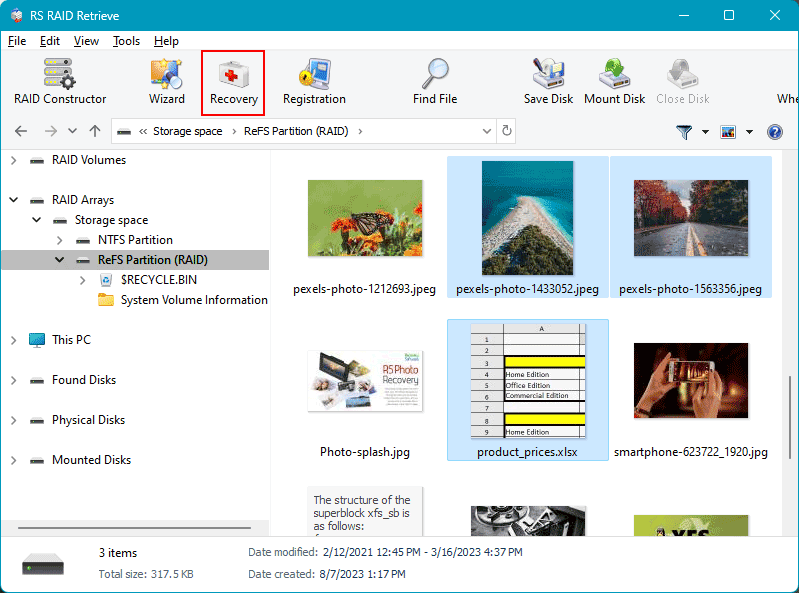
After the scan completes, the program will list all found files. You can preview video clips to confirm their integrity, select the ones you need, and click “Recover.”
Choose a safe location to save recovered files. It’s critical not to save recovered data back onto the original RAID drives. Use another physical disk, such as an external drive or a different partition.
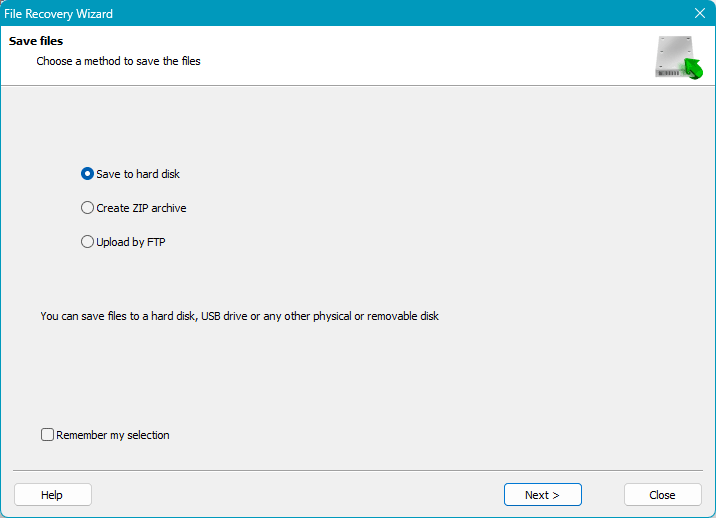
Once the Hikvision RAID recovery process is complete, verify the restored video files. They should play correctly in standard video players.
Working with Different RAID Levels
When performing Hikvision video recovery from a RAID array, it’s important to understand the behavior of different RAID levels.
RAID 0 has no redundancy, so a single drive failure results in total data loss. RS RAID Retrieve can help if the drives themselves are healthy but the array was deleted or misconfigured.
RAID 1 stores identical copies on two drives. If one fails, you can recover data from the other using standard tools such as RS Partition Recovery.
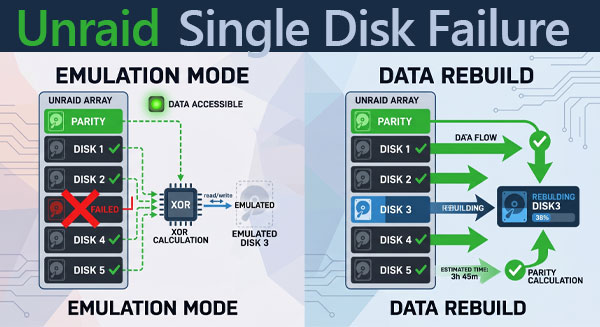
RAID 5 and RAID 10 are more complex. RAID 5 can tolerate one failed drive thanks to parity data, but multiple drive failures make recovery much harder.
RS RAID Retrieve automatically detects RAID configurations and applies optimized algorithms for each. The software supports all common RAID levels used in Hikvision systems.
Recovery from Physically Damaged Drives
RS RAID Retrieve is highly effective for logical failures of RAID arrays and file systems. However, if one or more drives are physically damaged and not recognized by the computer, recovery becomes more complex.
In such cases, you should contact a professional data recovery service. Specialized labs have the tools required to handle damaged drives and can extract data even in severe cases.
When contacting a recovery center, be sure to mention that the drives belong to a Hikvision RAID array. This information helps engineers apply the correct recovery methods and account for the Hikvision file system structure.
After the drives are repaired, you can use RS RAID Retrieve to extract your video files. The sooner you seek professional help for physically damaged drives, the higher your chances of successful Hikvision RAID data recovery.
Comparison of Data Recovery from Different RAID Levels
| RAID Level | Fault Tolerance | Recovery Complexity | Data Loss Risk |
|---|---|---|---|
| RAID 0 | None | High | One drive failure = total data loss |
| RAID 1 | Mirroring | Low | Data can be recovered from either drive |
| RAID 5 | 1-drive tolerance | Medium | Data lost if 2+ drives fail |
| RAID 10 | Multiple-drive tolerance | Medium | Depends on which drives fail |