When a Broadcom (LSI) MegaRAID 9560-8i controller stops working, the RAID array does not necessarily lose its data. In many cases, what disappears is not the files themselves, but the configuration information required to assemble the array correctly. This is why RAID data recovery often starts with reconstructing parameters before attempting access to the volume.
The Broadcom (LSI) MegaRAID 9560-8i uses the architecture together with the Tri-Mode stack and stores array information in DDF. That metadata contains the logic needed to interpret disk order and RAID structure. If it becomes unavailable after a firmware issue, power event, controller swap, or interrupted rebuild, the OS may see separate disks but not the RAID itself. To recover data from failed RAID, those parameters are analyzed and the array is reconstructed logically.

Important: data often survives this kind of controller failure because the disks still contain information. The missing part is usually the logic required to reconstruct the RAID.
Why the RAID Array Becomes Inaccessible
The Broadcom (LSI) MegaRAID 9560-8i controls how data is written, interpreted, and rebuilt. For RAID 5 and RAID 6, several parameters must match the original layout; if they do not, the array may not assemble.
Metadata Layout
DDF
Metadata stores array definition. Damage here can make the volume disappear.
Data Offset
32768
The offset determines where usable RAID data starts.
Stripe Size
64K - 256K
This controls how data blocks are split across drives.
Parity Layout
Left-Asynch
Parity rules determine missing data reconstruction.
If these parameters are misread, the system may detect disks but fail to mount the array. This is why recover data from RAID array often begins with reconstructing these values.
Utilities associated with Win/Lin (storcli) can also influence controller state and metadata consistency.
How Cache Problems Can Affect the Array
The CVPM05 protection layer helps preserve write integrity. If it fails, incomplete writes or inconsistent metadata may follow.
If cache protection problems appear, stop rebuild operations until the array is evaluated.
Common Causes of RAID Controller Failure and Data Loss
Loss of access to a RAID 5 or RAID 6 array on Broadcom (LSI) MegaRAID 9560-8i usually happens after a definable event. Understanding those causes helps explain why RAID recovery often focuses on restoring structure first. Common causes include:
Power loss during writes — can interrupt metadata updates.
Interrupted rebuild — may leave parity relationships inconsistent.
Controller replacement — another controller may interpret the array differently.
Metadata corruption — prevents the controller from understanding the RAID definition.
Instability under load — can affect rebuild reliability.
Manual initialization — may overwrite the original array definition.
Technical Specifications of the Broadcom (LSI) MegaRAID 9560-8i
| Drive Bays | 8 |
|---|---|
| RAID Levels | RAID 0, RAID 1, RAID 5, RAID 6, RAID 10 |
| Architecture (ROC) | Fusion-MPT |
| Generation / Stack | Tri-Mode |
| Metadata Format | DDF |
| Typical Data Offset | 32768 |
| Stripe Size Range | 64K - 256K |
| Parity Rotation | Left-Asynch |
| Cache Protection | ✓ |
| HBA / RAID Modes | UEFI HII |
| Processor (ROC) | SAS3908 |
| Management OS / GUI | Win/Lin (storcli) |
Recovering RAID 5 or RAID 6 After RAID Controller Failure
Data can often be recovered after controller failure because the information usually remains on the member disks. Recovery depends on reconstructing the original RAID structure before accessing the volume.
With Broadcom (LSI) MegaRAID 9560-8i, correct recovery usually requires validating 32768, stripe layout, and Left-Asynch. If these values are wrong, the array may assemble incorrectly or files may appear damaged.
This explains why recover data from RAID array procedures focus on structure first, not file extraction first.
Typical Scenario: Controller Replaced, RAID Still Offline
A replacement controller may detect the disks but fail to interpret the original array correctly.
In that case, software-based recovery often avoids relying on uncertain controller behavior.
Step-by-Step Guide to Recover Data
To recover data from RAID array, the process usually starts with preserving the original structure and reconstructing the array before copying files.
Step 1 Shut down the server.
Disconnect drives and keep disk order unchanged.
Step 2 Attach all drives to a Windows PC.
The software should see all member disks together.
Step 3 Start the recovery software.
Use RS RAID Retrieve for automatic reconstruction.

Data recovery from damaged RAID arrays
Available for: Windows, macOS, LinuxStep 4 Verify parameters.
Review detected RAID settings.
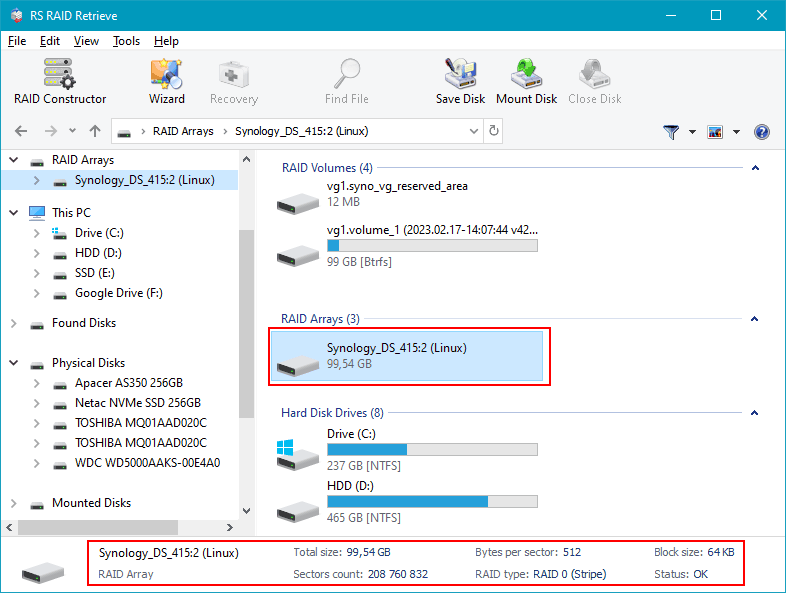
Step 5 Run scanning.
Search for recoverable structure and files.
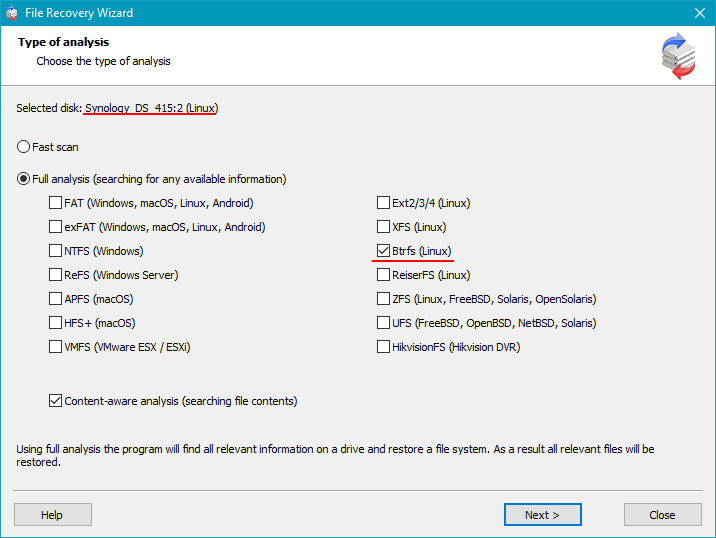
Step 6 Preview files.
Confirm recovery quality.
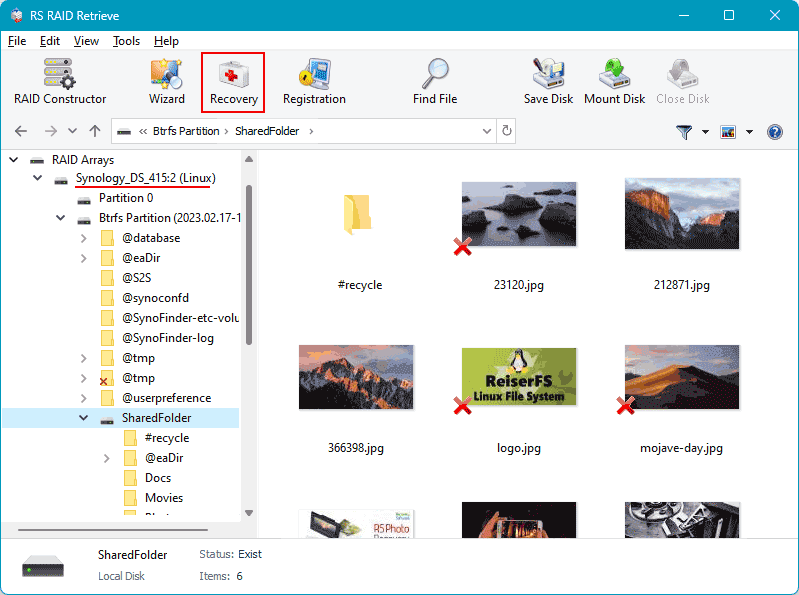
Step 7 Export to other storage.
Avoid writing to original disks.
Tip: Do not alter source disks during recovery.
Why RS RAID Retrieve Is Safer Than Manual RAID Reconstruction
Manual reconstruction often relies on trying parameter combinations until the array starts to appear readable. That can be risky, especially in parity-based arrays.
RS RAID Retrieve works differently: it analyzes disks directly, reconstructs the array logically, and helps recover data from RAID array without depending on repeated manual testing.
The software can identify parameters, rebuild a virtual RAID, scan the file system, and export recovered data to safe storage.
Conclusion
Controller failure does not always mean lost files. Often the problem is loss of the structure required to assemble the array, not loss of the data itself.
In RAID 5 and RAID 6, successful recovery usually depends on reconstructing original parameters and avoiding actions that may overwrite metadata. Proper software can help recover data from RAID array safely.