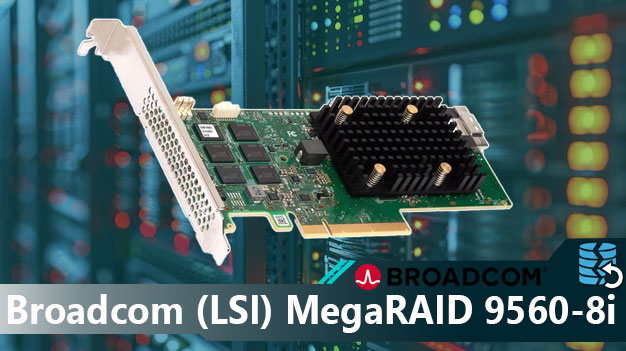
When a Broadcom LSI MegaRAID 9460-8i controller fails, the primary risk is often not destroyed data, but loss of the parameters needed to interpret the RAID correctly. The distinction matters: physical disk damage and configuration loss lead to very different recovery paths. Effective RAID data recovery depends on identifying which condition exists first.
Because the controller relies on Fusion-MPT, the Tri-Mode stack, and LSI Proprietary / DDF, access to the array depends on preserving those relationships. Firmware faults, power anomalies, replacement controllers, or interrupted rebuilds can break that dependency. The system may still see all disks, yet fail to mount the array. In such cases, attempts to rebuild without validation can increase risk; controlled reconstruction is often the safer method to recover data from failed RAID.
Important: apparent data loss in controller failures often reflects structural loss, not missing data blocks.
Why the RAID Array Becomes Inaccessible
The main analytical problem with Broadcom LSI MegaRAID 9460-8i failures is dependency: access relies on multiple parameters remaining consistent. If LSI Proprietary / DDF, 32768, 64K - 256K, or Left-Asynch are misinterpreted, the array may appear lost despite healthy disks.
Metadata Layout
LSI Proprietary / DDF
Corruption here often breaks array identity.
Data Offset
32768
Wrong offsets prevent correct detection.
Stripe Size
64K - 256K
Misalignment can produce invalid output.
Parity Layout
Left-Asynch
Incorrect parity assumptions increase corruption risk.
Because the disks may remain readable, blind rebuilds can worsen outcomes. Controlled reconstruction is often safer for recover data from failed RAID.
Additional risk may come from mismatches tied to Win/Lin (storcli).
How Cache Problems Can Affect the Array
Failures involving CVPM05 may alter write consistency, especially after abrupt shutdowns.
Analyze cache-related faults before rebuilding.
Common Causes of RAID Controller Failure and Data Loss
Analysis of Broadcom LSI MegaRAID 9460-8i failures shows access loss is usually event-driven. The key risk is not always missing data, but damage to the logic needed to interpret the array. Typical causes include:
Power loss — may create incomplete metadata states.
Interrupted rebuild — increases corruption risk.
Controller replacement — may cause interpretation mismatches.
Metadata corruption — often central to failure analysis.
Instability under load — affects parity and consistency.
Manual initialization — among the highest-risk mistakes.
Technical Specifications of the Broadcom LSI MegaRAID 9460-8i
| Drive Bays | 8 |
|---|---|
| RAID Levels | RAID 0, RAID 1, RAID 5, RAID 6, RAID 10, RAID 50, RAID 60 |
| Architecture (ROC) | Fusion-MPT |
| Generation / Stack | Tri-Mode |
| Metadata Format | LSI Proprietary / DDF |
| Typical Data Offset | 32768 |
| Stripe Size Range | 64K - 256K |
| Parity Rotation | Left-Asynch |
| Cache Protection | ✗ |
| HBA / RAID Modes | UEFI HII |
| Processor (ROC) | SAS3508 |
| Management OS / GUI | Win/Lin (storcli) |
Recovering RAID 5 or RAID 6 After RAID Controller Failure
The main analytical challenge after controller failure is distinguishing between inaccessible structure and damaged data. In many cases, only the first has occurred.
On Broadcom LSI MegaRAID 9460-8i, recovery hinges on correct handling of 32768, stripe geometry, and Left-Asynch. A small parameter error can produce apparently valid but corrupted results.
This is why blind reconstruction attempts may increase risk instead of reducing it.
Typical Scenario: Controller Replaced, RAID Still Offline
Even with identical hardware, a replacement controller may not restore the original array state.
In such cases, recover data from failed RAID often depends on software reconstruction rather than controller rebuild.
Step-by-Step Guide to Recover Data
Successful recovery often depends less on scanning first, and more on preserving structure before intervention. The steps below reduce risk.
Step 1 Power off the system.
Preserve disk order.
Step 2 Connect all disks together.
Missing members can affect analysis.
Step 3 Start RS RAID Retrieve.
Let software analyze the array.

Data recovery from damaged RAID arrays
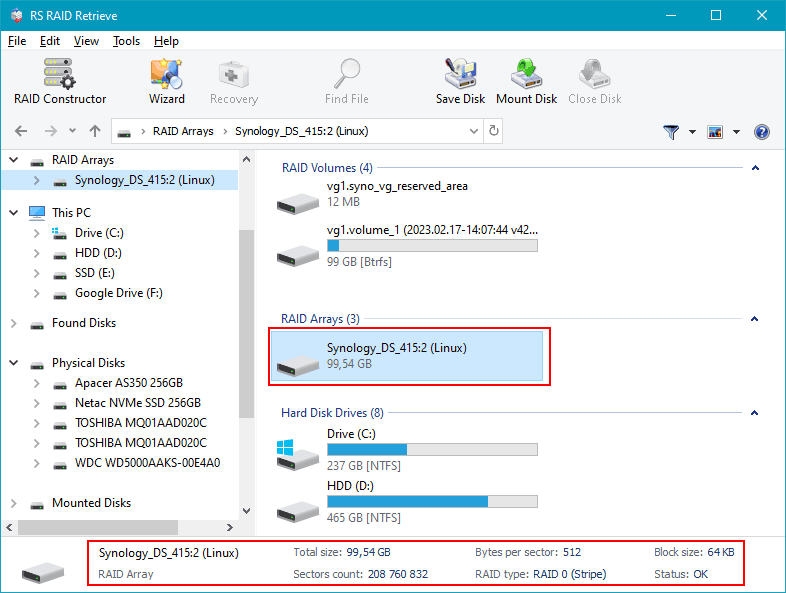
Available for: Windows, macOS, LinuxStep 4 Review detected parameters.
Do not assume automatic detection is always correct.
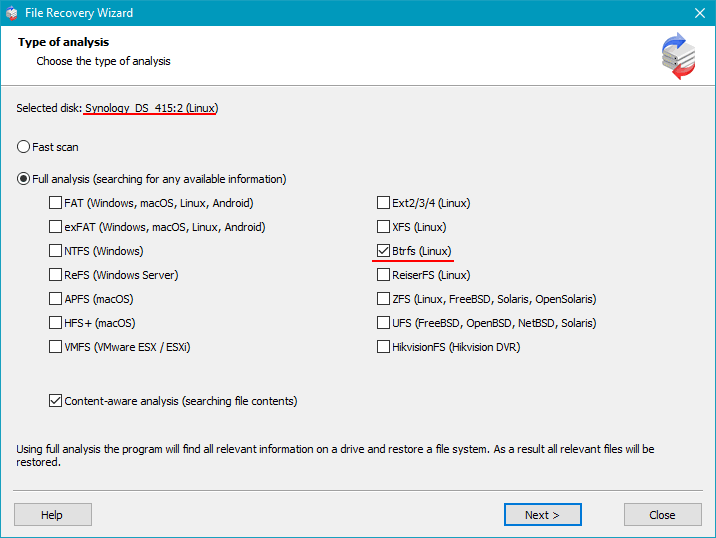
Step 5 Run a full scan.
Search for structure and lost files.
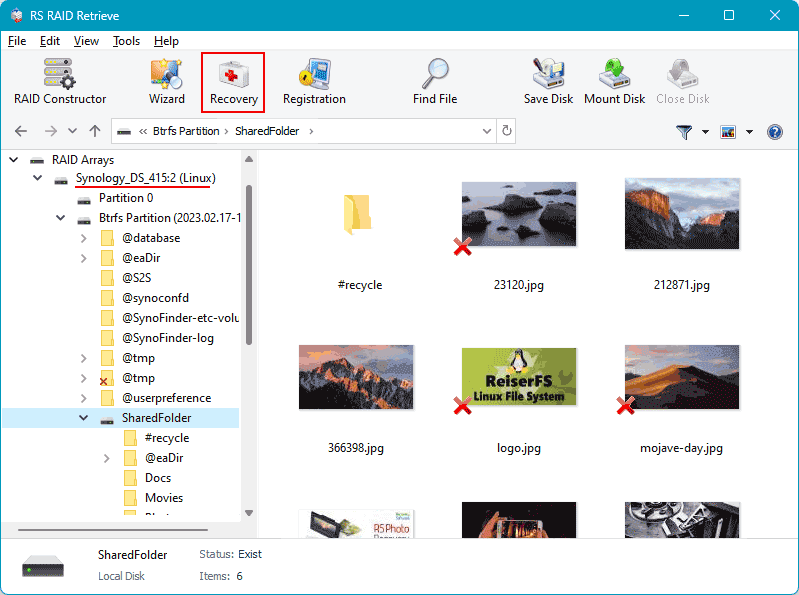
Step 6 Review results.
Validate output before export.
Step 7 Save elsewhere.
Never write back to source disks.
Tip: Recovery errors often begin with premature writes.
Why RS RAID Retrieve Is Safer Than Manual RAID Reconstruction
The main risk in manual reconstruction is that an apparently readable array may still be assembled incorrectly. That can produce subtle corruption.
RS RAID Retrieve reduces that risk by analyzing disks directly and supporting recover data from failed RAID through structured reconstruction rather than trial-and-error assembly.
The software can help identify parameters, reconstruct the virtual array, scan for recoverable data, and export files safely.
Conclusion
The key distinction is between damaged data and inaccessible structure. Controller failure often produces the second, not the first.
For parity-based arrays, recovery success often depends on preserving original conditions and avoiding repeated rebuild attempts. Correct tools may help recover data from failed RAID with lower risk.