Examination of failures involving Lenovo ThinkSystem 930-8i often shows a repeated pattern: data remains present, while the controller can no longer interpret the RAID definition. This shifts the problem from media loss to configuration failure, which changes the recovery strategy significantly.
In this design, based on Fusion-MPT and the LSI-based stack, metadata stored in DDF is critical. When firmware issues, power anomalies, controller replacements, or interrupted rebuilds affect that metadata, the host may enumerate disks independently and fail to mount the RAID volume. Case analysis frequently shows that controlled reconstruction, not blind rebuild attempts, is the safer path to recover data from failed RAID.
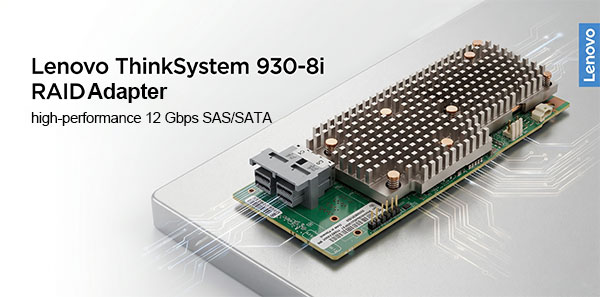
Important: investigation of this failure type often shows structural breakdown rather than media loss.
Why the RAID Array Becomes Inaccessible
Repeated case patterns involving Lenovo ThinkSystem 930-8i show that inaccessible arrays often trace back to metadata inconsistency, offset errors, stripe misinterpretation, or parity assumptions.
Metadata Layout
DDF
Often central to failure analysis.
Data Offset
32768
Frequent source of reconstruction errors.
Stripe Size
64K - 256K
Incorrect values may simulate corruption.
Parity Layout
Left-Asynch
Wrong models can generate invalid results.
Evidence often favors controlled reconstruction over forced rebuild attempts for RAID data recovery.
Controller-state mismatches linked to Win/Lin (storcli) may contribute.
How Cache Problems Can Affect the Array
Investigation often includes the SuperCap subsystem because degraded protection can affect metadata consistency.
Do not ignore cache-related faults during analysis.
Common Causes of RAID Controller Failure and Data Loss
Investigation of Lenovo ThinkSystem 930-8i failures often shows repeated patterns rather than isolated anomalies. In many cases, the root cause can be traced to one of the following:
Power events — linked to incomplete metadata states.
Failed rebuilds — associated with parity damage.
Controller migration — inconsistent interpretation across revisions.
Metadata corruption — common structural failure source.
Load instability — recurrent in case analysis.
Manual initialization — often tied to preventable damage.
Technical Specifications of the Lenovo ThinkSystem 930-8i
| Drive Bays | 8 |
|---|---|
| RAID Levels | RAID 0, RAID 1, RAID 5, RAID 6, RAID 10, RAID 50, RAID 60 |
| Architecture (ROC) | Fusion-MPT |
| Generation / Stack | LSI-based |
| Metadata Format | DDF |
| Typical Data Offset | 32768 |
| Stripe Size Range | 64K - 256K |
| Parity Rotation | Left-Asynch |
| Cache Protection | ✗ |
| HBA / RAID Modes | UEFI HII |
| Processor (ROC) | SAS3508 |
| Management OS / GUI | Win/Lin (storcli) |
A Frequent Lenovo ThinkSystem 930-8i Failure Scenario
One recurring issue seen with %1$s %2$s is the sudden loss of array recognition, often resulting in a "Foreign Configuration" status after controller migration, ungraceful shutdowns, or firmware updates. The physical disks remain fully operational, but the controller flags the stored %metadata_format% (DDF/LSI metadata) as foreign or incompatible.
In practice, the RAID volume may completely disappear from the boot sequence or appear offline in the UEFI setup, even though no member disks have suffered hardware failure. This typically happens when moving the drive group to a replacement adapter or when a firmware mismatch causes the %generation_stack% MegaRAID stack to misinterpret the existing drive headers.
Because the ThinkSystem 930-8i relies on the Broadcom SAS3508 ROC, metadata alignment is strict. In these situations, system administrators often mistakenly attempt to clear the foreign configuration or force unconfigured good drives online, which can lead to catastrophic configuration overwrites.
If a Lenovo ThinkSystem 930-8i array suddenly drops into a "Foreign" state, do not clear the configuration via %os_control% (LSI Storage Authority or StorCLI) without backing up sector-by-sector. Attempt a "Foreign Import" first, treating it strictly as a metadata mismatch rather than a physical drive failure.
ThinkSystem SuperCap and Cache Protection Problems
Another critical vulnerability specific to this controller involves the %zmm_bbu% cache protection system (the Lenovo ThinkSystem RAID Flash Power Module / SuperCap). If the supercapacitor degrades, loses capacity, or reports a sub-optimal temperature state, the controller automatically switches its write policy from Write-Back to Write-Through.
However, if a sudden power loss occurs exactly during a heavy I/O load while the SuperCap is in a degraded or "learning" cycle, unwritten data in the 2GB/4GB NVRAM cache can be lost or partially committed. This results in a "cache data lost" error upon the next boot, corrupted file system structures, or a desynchronized RAID parity layout despite healthy underlying disks.
Do Not Initialize or Clear Cache Blindly
If the UEFI configuration utility or StorCLI prompts you to "Discard Cache" or initialize the RAID structure to restore volume availability, stop immediately. Discarding pinned cache or initializing the array will wipe the remaining %metadata_format% configuration and permanent data blocks, making professional RAID recovery significantly more complex.
Recovering RAID 5 or RAID 6 After RAID Controller Failure
Case analysis of controller failures shows user data often survives while array interpretation fails. Recovery therefore centers on reconstructing the logical definition.
For Lenovo ThinkSystem 930-8i, investigation usually focuses on 32768, stripe geometry, and Left-Asynch. Errors in these areas can simulate corruption even when data remains intact.
This is why controlled RAID data recovery procedures avoid assuming a successful assembly means correct assembly.
Typical Scenario: Controller Replaced, RAID Still Offline
Replacement hardware may still fail due to metadata interpretation differences.
Disk-level recovery is often the safer investigative approach.
Step-by-Step Guide to Recover Data
Case analysis often shows the recovery outcome depends as much on process discipline as on tools.
Step 1 Preserve source state.
Power down and keep disk order.
Step 2 Connect all members.
Ensure full array visibility.
Step 3 Start RS RAID Retrieve.
Analyze reconstruction.

Data recovery from damaged RAID arrays
Available for: Windows, macOS, LinuxStep 4 Validate parameters.
Check assumptions.
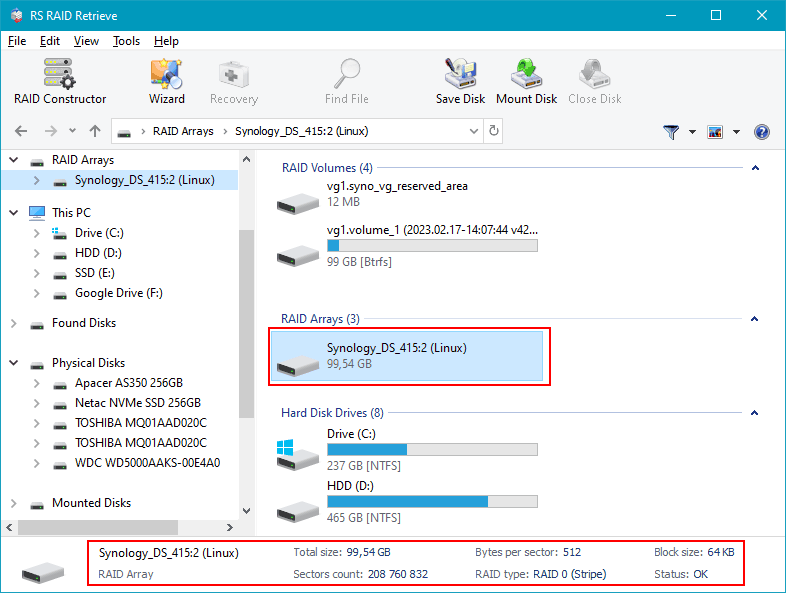
Step 5 Run scan.
Search for recoverable structure.
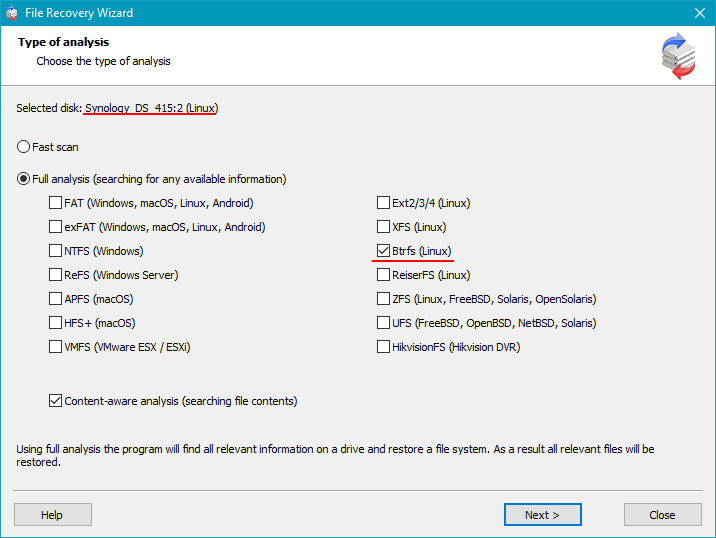
Step 6 Review recovered data.
Validate integrity.
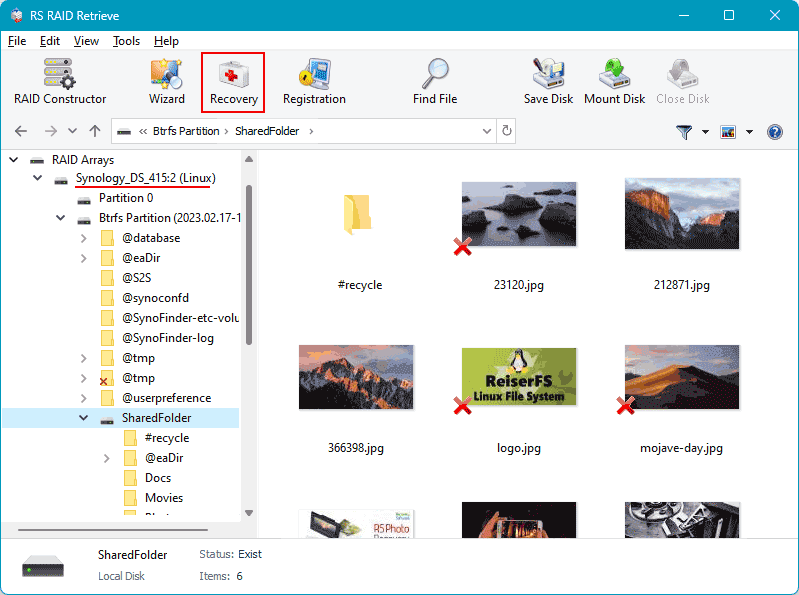
Step 7 Export externally.
Avoid source writes.
Tip: Most preventable damage happens after skipping verification.
Why RS RAID Retrieve Is Safer Than Manual RAID Reconstruction
Case analysis often shows manual reconstruction risks stem from incorrect parameter assumptions rather than the recovery concept itself.
RS RAID Retrieve reduces those risks by combining disk analysis and structured RAID data recovery methods in a controlled workflow.
It can identify parameters, reconstruct a virtual array, scan the file system, and export results safely.
Conclusion
Case analysis often shows controller failures do not erase data, but break access to it.
Successful RAID data recovery usually depends on reconstructing original parameters, avoiding overwrites, and treating repeated rebuild attempts as a risk rather than a default response.